32
EXCEL V OPERATOR MANUAL
D1025, REV H, 10/17
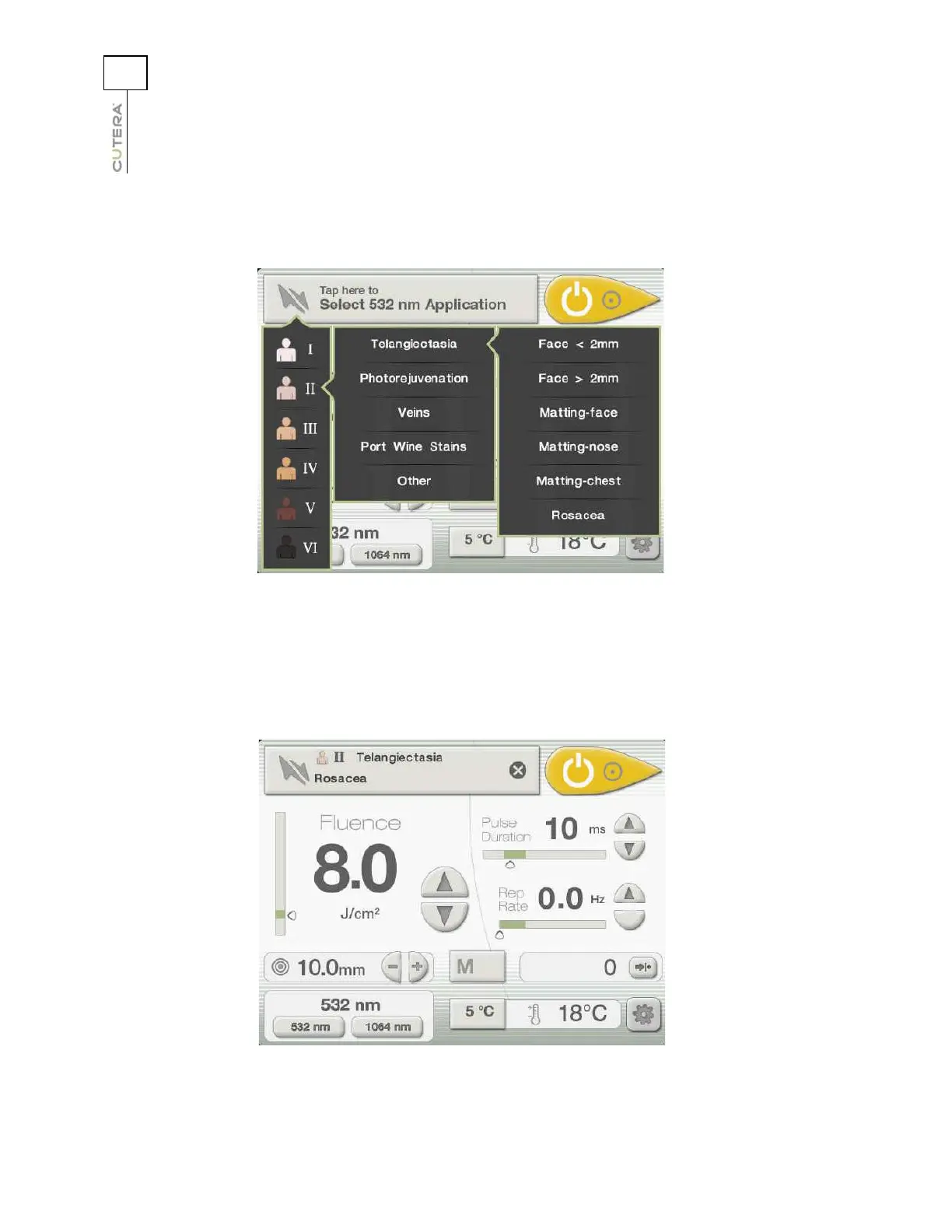
Press the button that corresponds to the desired treatment category.The Treatment Subcategory menu
displays:
Press the button that corresponds to the desired treatment subcategory. The CoolView Treatment
Screen displays, with the selected skin type, treatment category and treatment subcategory displayed in
the Navigation button and the recommended range of settings highlighted in green:
CoolView Treatment Screen with Skin Type, Treatment
Category and Treatment Subcategory Menus Open
Sample CoolView Treatment Screen in Navigation Mode



 To Next Page