55
EXCEL V OPERATOR MANUAL
D1025, REV H, 10/17
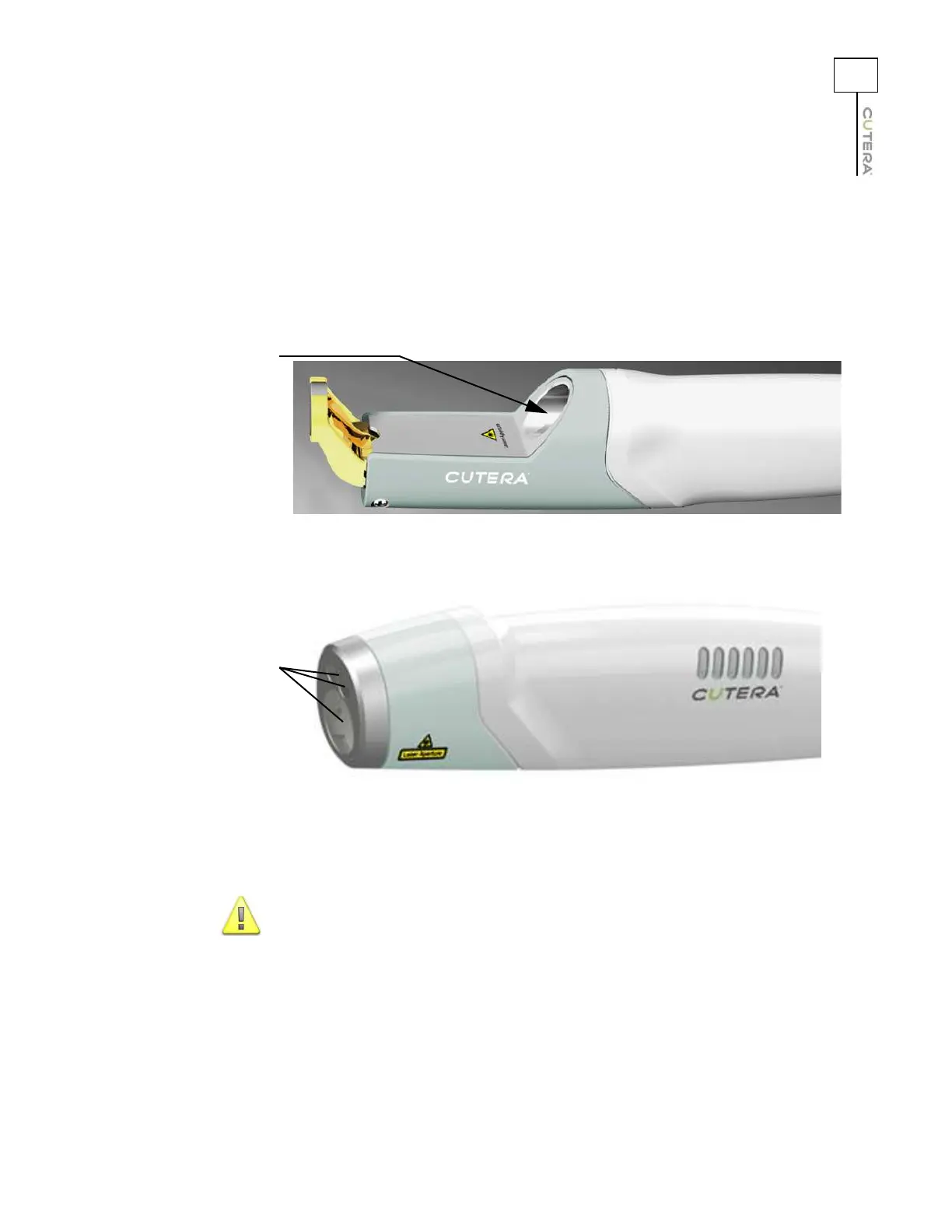
1. Ensure that the system is turned OFF or is in STANDBY mode.
2. Place a small amount of acetone on a wood stick cotton swab; if necessary, shake the
excess acetone off of the tip prior to cleaning the handpiece lens(es).
3. Gently wipe the surface of the lens(es). Refer to the pictures below.
4. Inspect the lens(es). If necessary, clean the lens(es) again with a new cotton swab.
CAUTION
The lens(es) must be clean before treating a patient. Chips, pits,
cracks or burned spots on the lens(es) are not acceptable, and a
handpiece with these types of defects must be replaced.
Location of CoolView Handpiece Lens
Recessed lens
Location of Genesis V Handpiece Lenses
Recessed lenses



 To Next Page