6
2.2.2 Add a Device
There are 3 ways to add a UPS to PowerPanel® Cloud.
- Using the PowerPanel® software
- Using Remote Cloud Card via App
- Using Remote Cloud Card via Web portal
Note: PowerPanel® Cloud provides free trial. About the free trial,
please see the instructions in 2.2.3
.
Add with PowerPanel® software
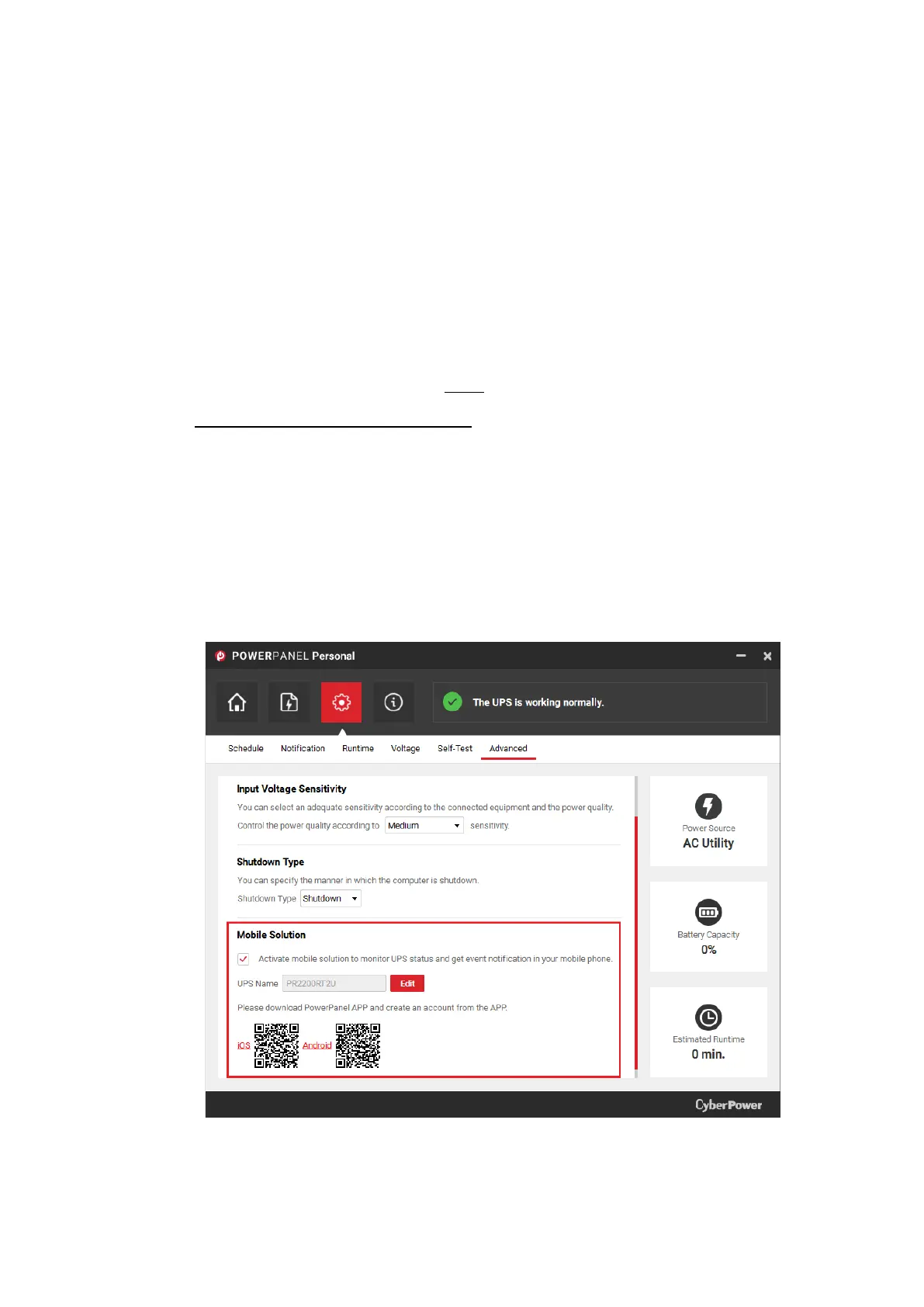
- PowerPanel® Personal:
Go to Settings >> Advanced >> Mobile Solution. Activate
the Mobile Solution and log in with the registered account.
The UPS, that the computer is connected to, will be added
to PowerPanel® Cloud.











 To Next Page