27
3.1.5 Status Log
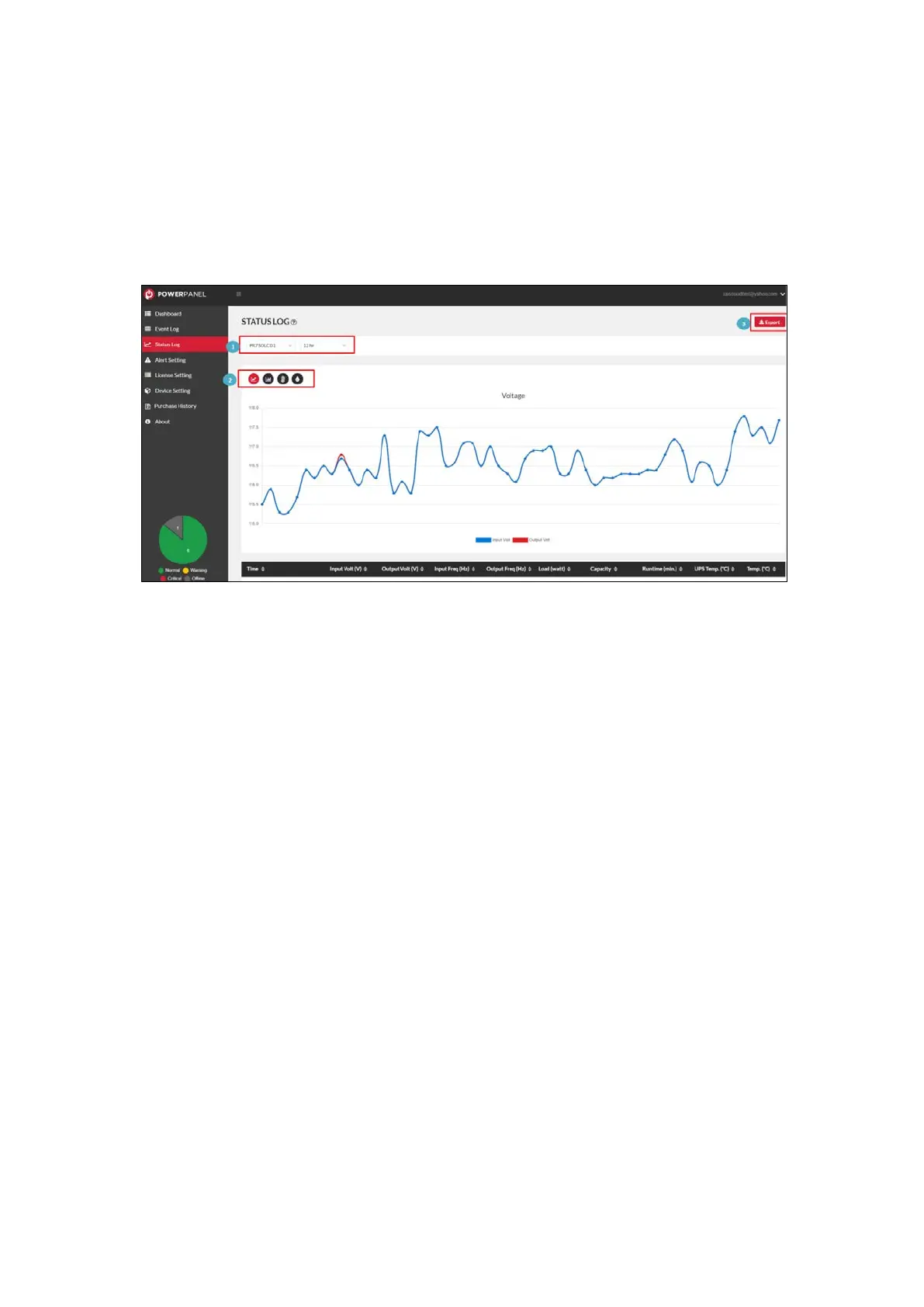
The Status Log page provides the device status log (Figure 3.13) for
users to track the status of all devices.
Figure 3.13 Status Log on Web Browser
PowerPanel® Cloud provides device status filtering (❶ in Figure 3.13)
for searching. Users can review the voltage, frequency, temperature
and humidity of the device in the trend chart (❷ in Figure 3.13). The
status logs can be output by the export function (❸ in Figure 3.13).











 To Next Page