23
Ta b l e 3.2 Device Map function description
Click to add a new map in the table.
Click to edit the selected map in the table.
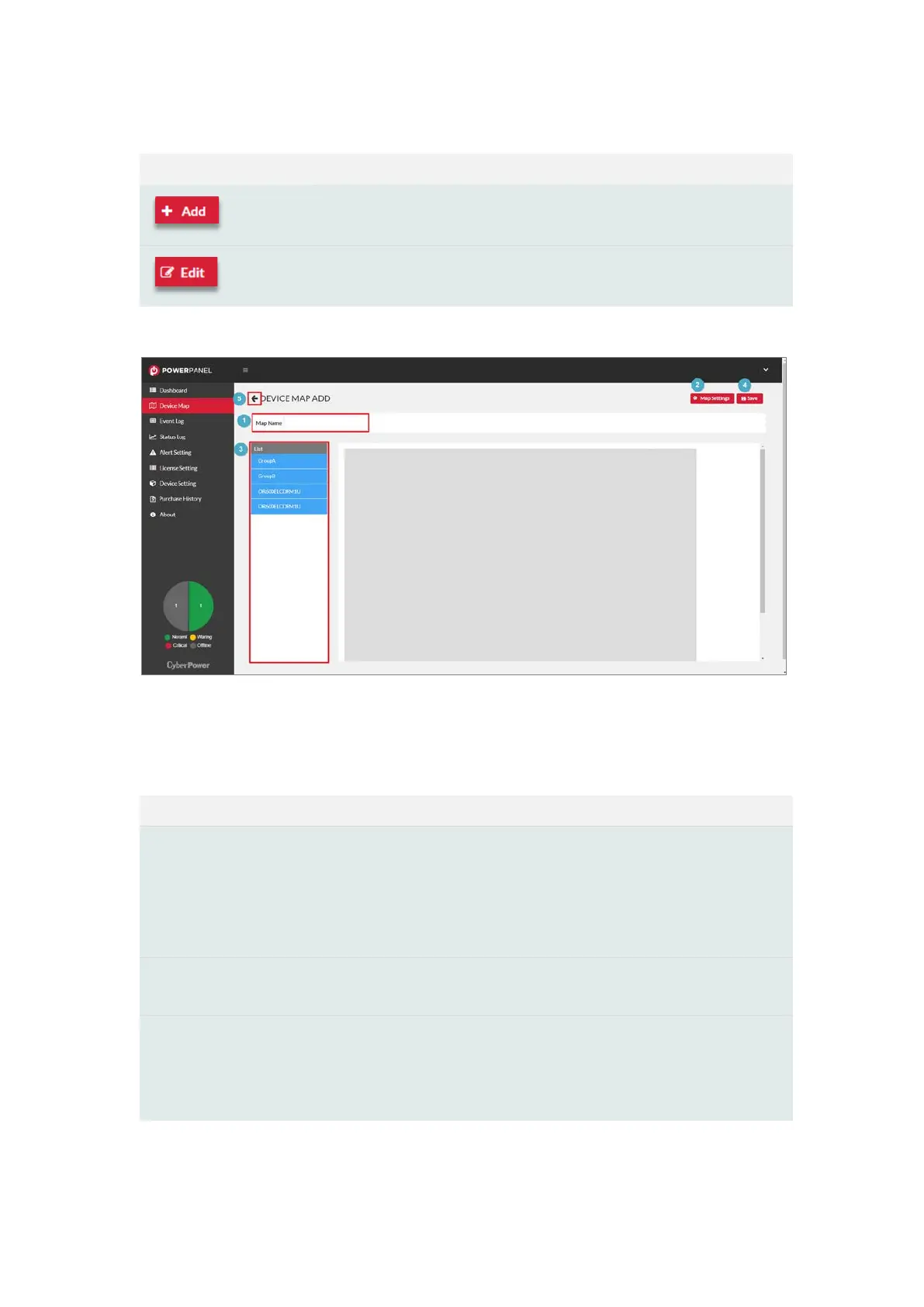
Figure 3.7 The Steps of Adding a Map
Ta b l e 3.3 The steps description
❶
Fill in Map Name.
❷
Adjust the layout size of the map.
Upload the background image or the site plan, and the image format
must be
PNG or .JPEG files. (Figure 3.8)
❸
Drag & drop the device from the list to the device map in the display
panel. See Figure 3.9 for detail.
❹
Save the map.
❺
Go back to Device Map page, and the new map name will be
displayed in the filter.











 To Next Page