28
3.1.6 Alert Setting
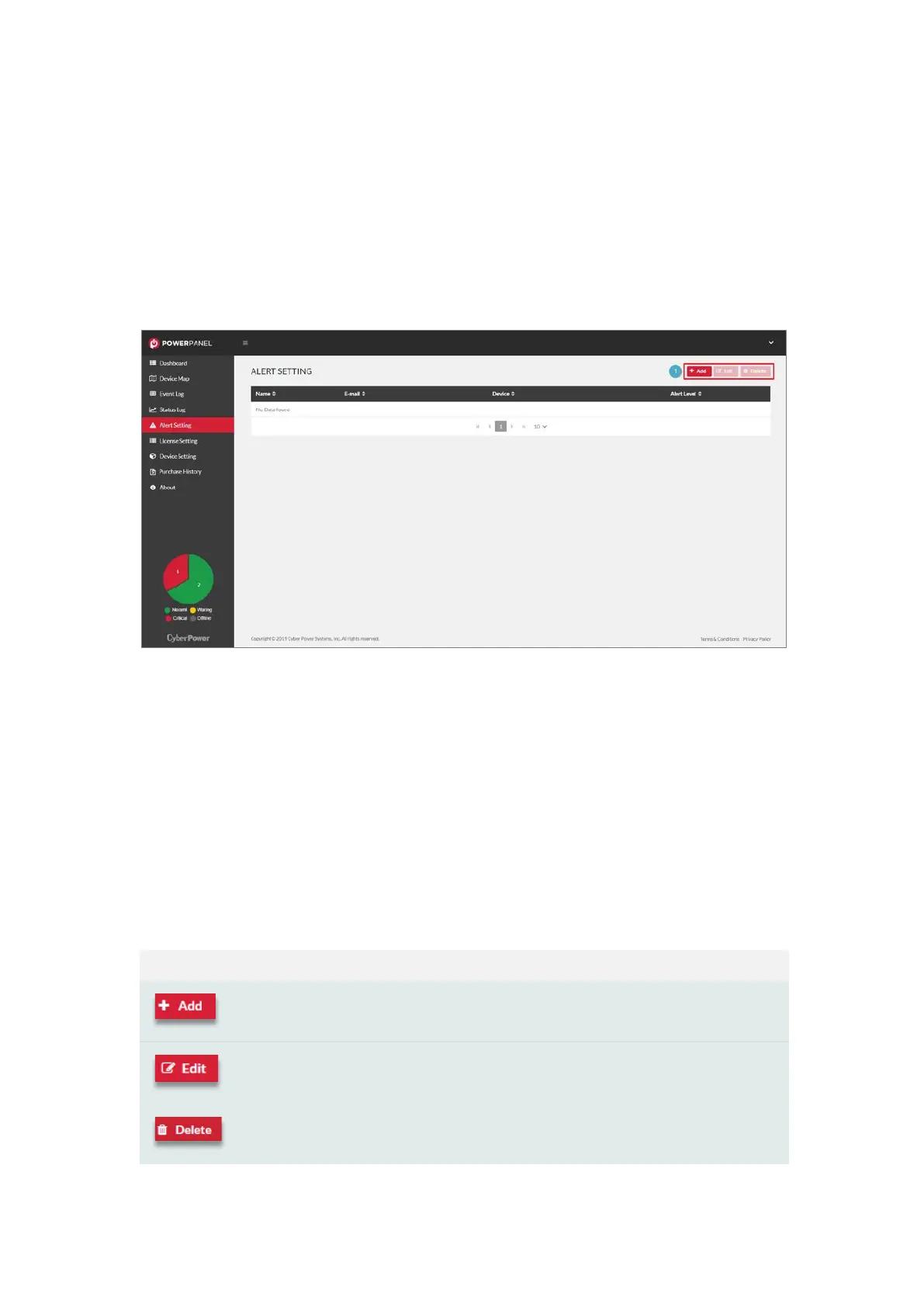
The Alert Setting page allows users to configure the alert recipients
(Figure 3.14). When an event occurs, the alert recipients will be
notified via E-mail.
Figure 3.14 Alert Setting
The Alert Setting page displays the recipient list. Users can add a new
recipient and edit the recipient content (❶ in Figure 3.14). The
function details are described in Tab l e 3.4.
Ta b l e 3.4 Alert Setting function description
Click to add a new recipient into the table.
Click to edit the selected recipient in the table.
Click to delete the selected recipient in the table.











 To Next Page