EasyManua.ls Logo

CyberPower PowerPanel Cloud - Figure 3.4 UPS Event Page; Figure 3.5 Device Setting

CyberPower PowerPanel Cloud
68 pages
Print Icon
To Next Page IconTo Next Page
To Previous Page IconTo Previous Page
Loading...
21
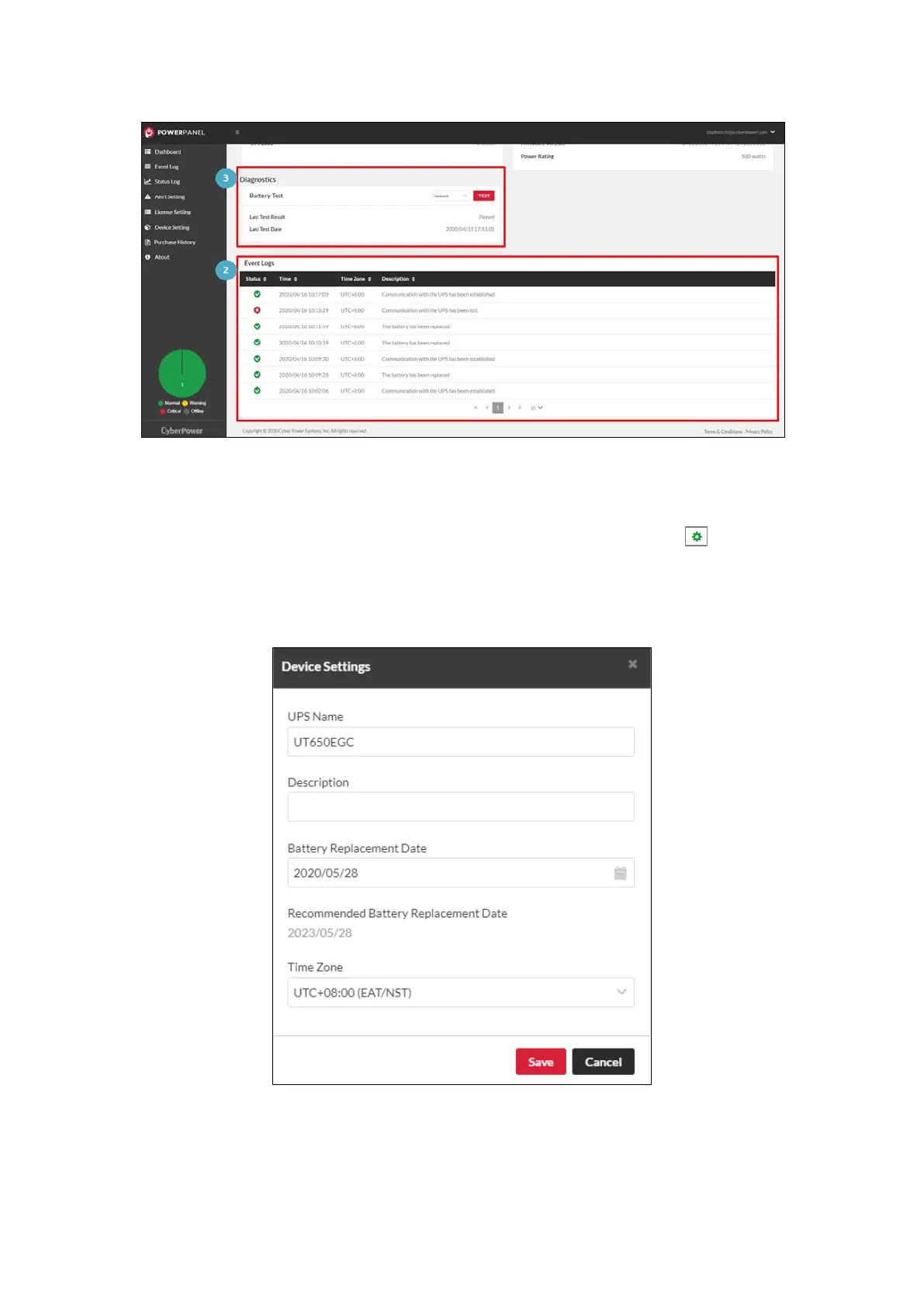
Figure 3.4 UPS Event Page
At the top-right corner of the real-time status area, click to open
the device setting window to edit the UPS name, description, battery
replacement date and time zone of the device (Figure 3.5).
Figure 3.5 Device Setting


Table of Contents

Related product manuals