36
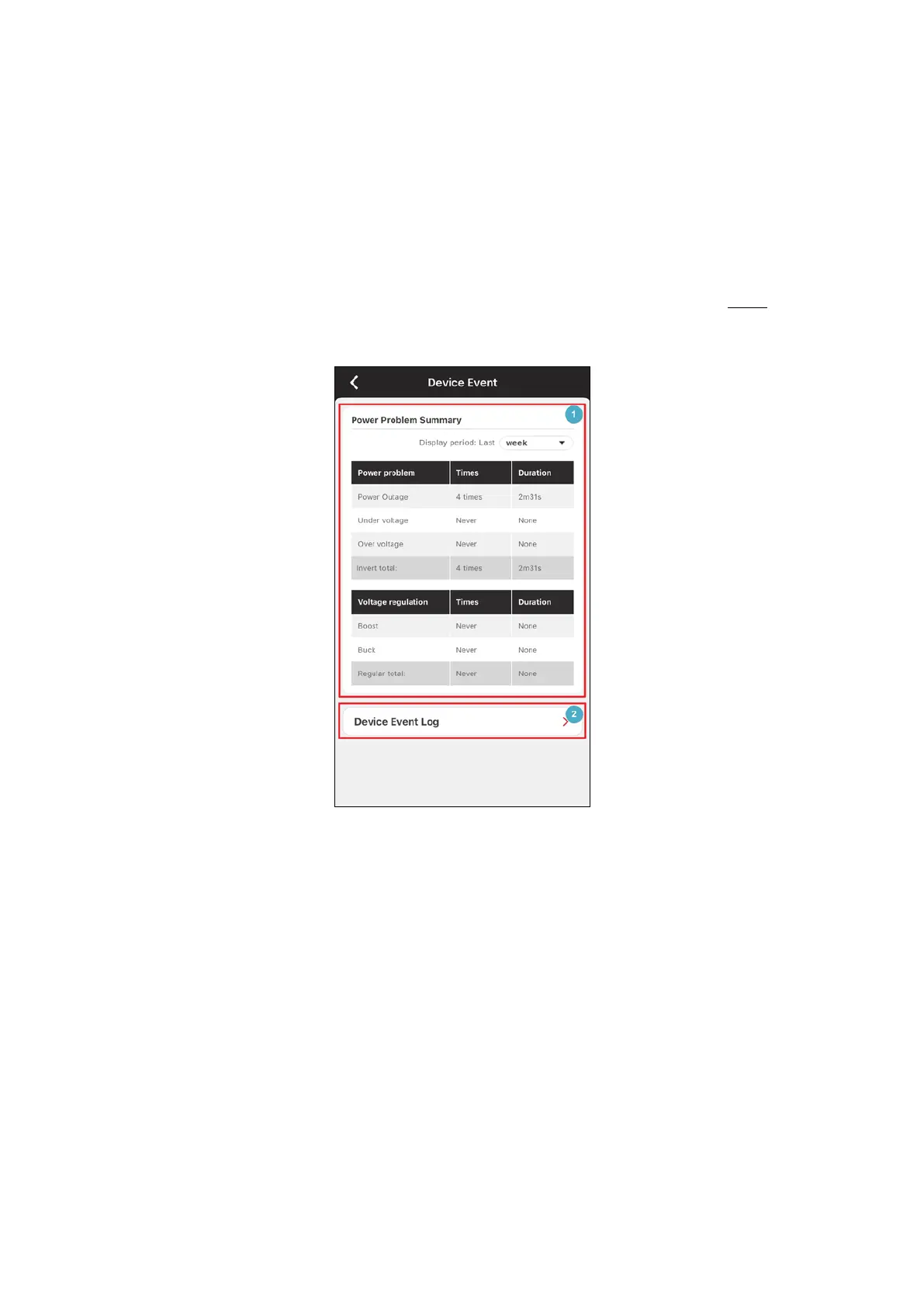
On the Device Event page (Figure 3.23), the Power Problem Summary
summarizes the power condition statistics during different periods of
time. This information can be used to analyze the quality of the power
source (❶ in Figure 3.23). Users can review the power condition of
the device on the Device Event Log (❷ in Figure 3.23 and see 3.2.2
).
Figure 3.23 Device Event
On the Device Setting page, PowerPanel® App displays the current
version of the Remote Cloud Card (
Figure 3.24). On the Card
Firmware Update page, click Update now to upgrade the Remote
Cloud Card (
Figure 3.25). Click Battery Test to see the last test result
and decide the test timing. On the
Battery Replacement Date page,
Next Replacement Date will be updated in accordance with the
Battery Replacement Date (
Figure 3.24). If Next Replacement Date











 To Next Page