30
3.1.8 Device Setting
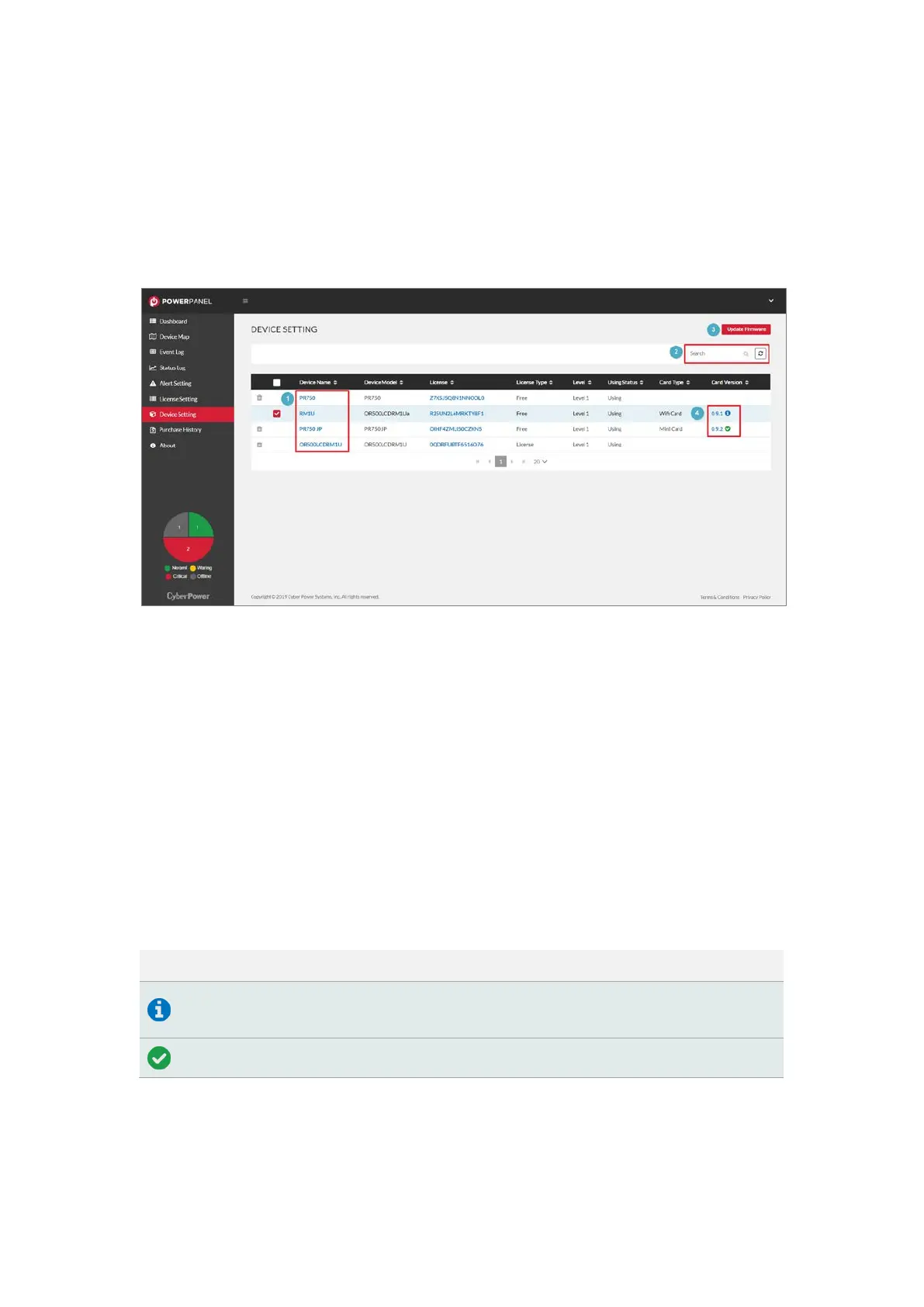
The Device Setting page provides the interface for users to update
firmware (Figure 3.16).
Figure 3.16 Device Setting
PowerPanel® Cloud also provides firmware update of the Remote
Cloud Card (❸ in Figure 3.16). Click the card version to review the
firmware update history (❹ in Figure 3.16). The icon of the card
version is described in Tab l e 3.5.
Ta b l e 3.5 The icon definition of device status
Icon Application
There is a new version for the Remote Cloud Card to update
the firmware.
The card version is the latest.











 To Next Page