34
Ta b l e 3.6 The color definition of device status
Green Normal status. The communication is normal and no
event happens.
Yellow Warning status. The warning event happens.
Red Warning status. The critical event happens.
Gray Communication lost.
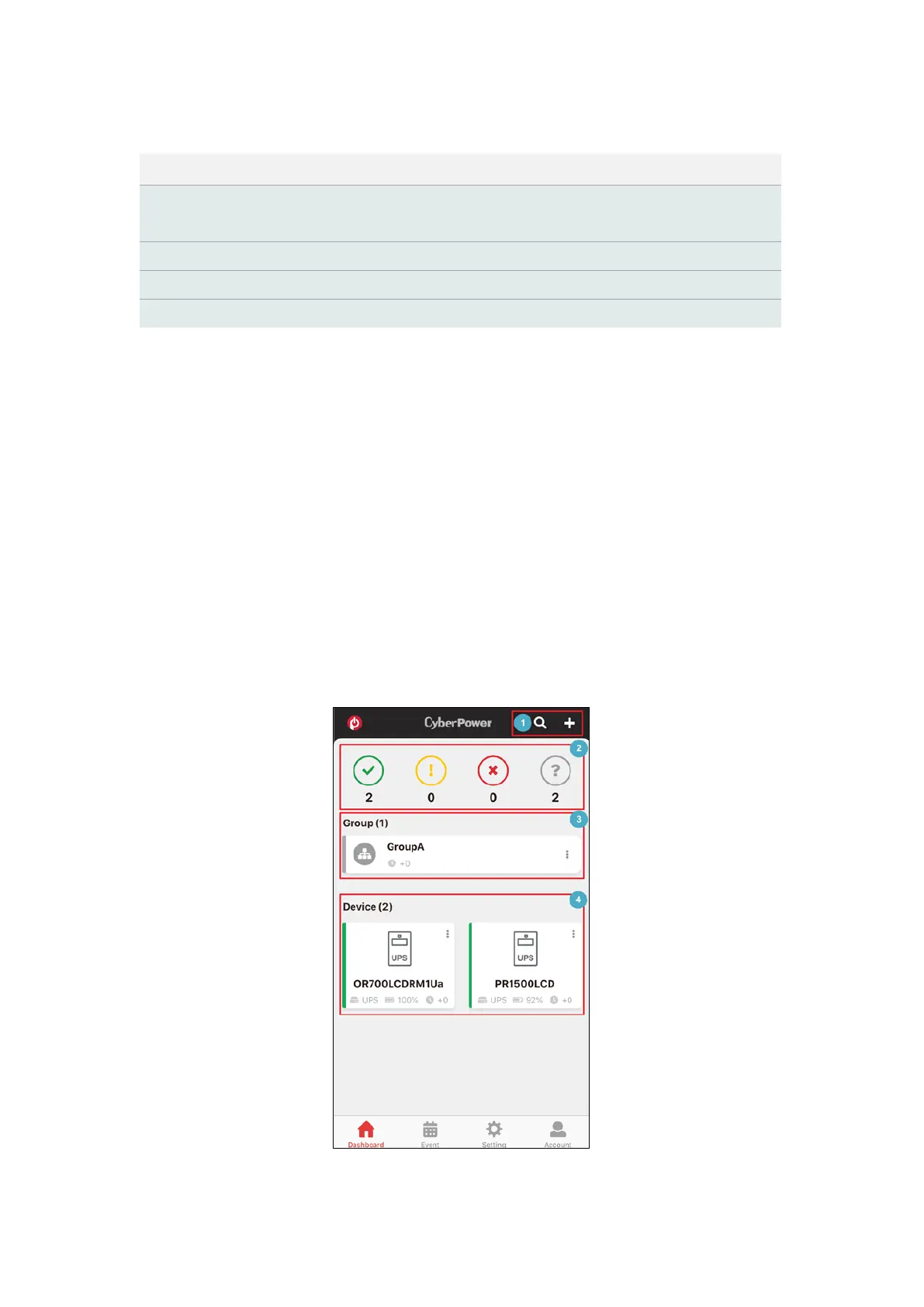
The Dashboard page is split into distinct areas. The upper area is the
tool bar. It includes the Search device, Add Group, and Add Device
features (❶ in Figure 3.21). The middle area is the filter of UPS status
(❷ in Figure 3.21) and the UPS list displayed by group (❸ in Figure
3.22). The bottom area is the UPS list (❹ in Figure 3.21). Each UPS is
displayed in colors to show its status. Users can easily spot a UPS that
has a problem.
Figure 3.21 Distinct areas in the Dashboard











 To Next Page