35
All UPS added in the PowerPanel® Cloud with the same account are
displayed in the Dashboard (Figure 3.21). PowerPanel® App provides
Group mode and UPS mode to display the UPS structure (❸, ❹ in
Figure 3.21). Click to edit the name and time zone of the
Group/UPS or delete the Group/UPS.
Click the Group to display the UPS list classified by group. The UPS in
the same group has the same time zone. Click the
UPS to enter the
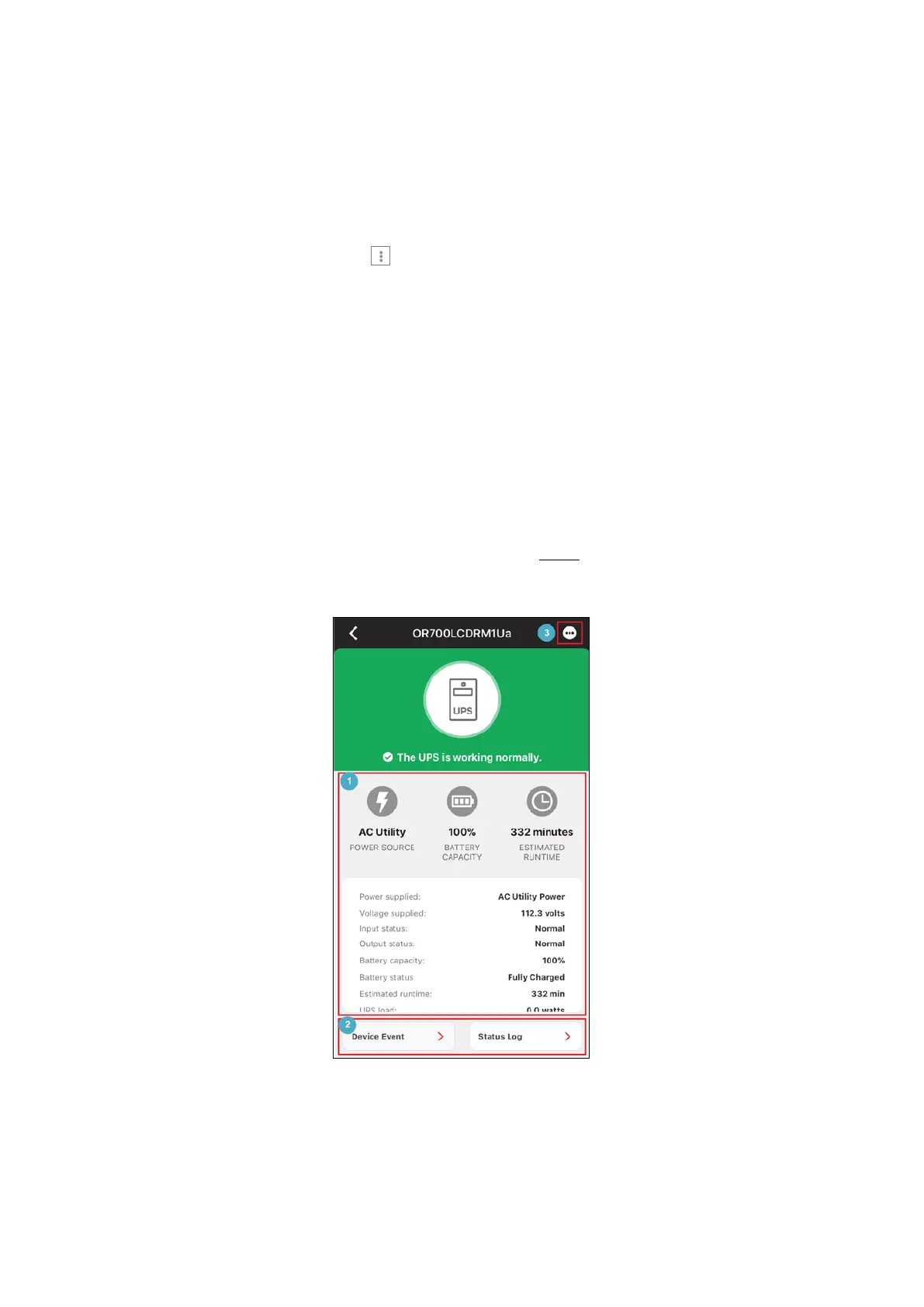
UPS detail page (
Figure 3.). On the detail page, users can immediately
know the UPS real-time status (❶ in Figure 3.), as well as the device
event and the status log displayed in the bottom area (❷ in Figure 3.).
For the description of Status Log, see 3.2.3
. PowerPanel® App also
allows users to update the firmware of the card (❸ in Figure 3.).
Figure 3.22 UPS Detail Page











 To Next Page