DAP-600P Wireless AC2600 Wave 2 MU-MIMO Dual Band
PoE Access Point / Router
User Manual
Configuring via Web-based Interface
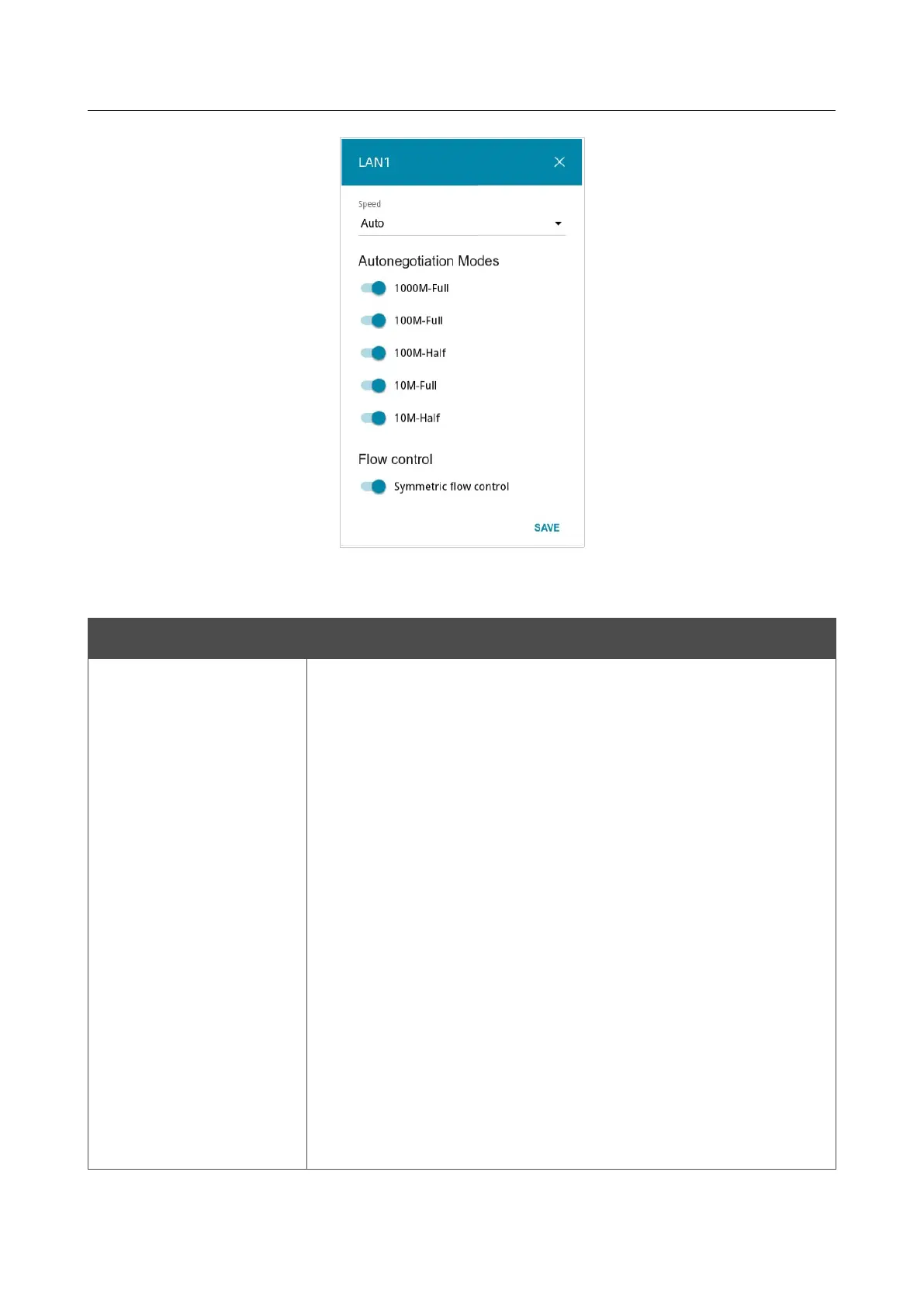
Figure 118. The window for changing the settings of the access point's port.
In the opened window, specify the needed parameters:
Parameter Description
Speed
Data transfer mode.
Select the Auto value to enable autonegotiation. When this value is
selected, the Autonegotiation Modes and Flow сontrol sections
are displayed.
Select the 10M-Half, 10M-Full, 100M-Half, or 100M-Full value
to manually configure speed and duplex mode for the selected port:
• 10M-Half: Data transfer in just one direction at a time (data
can be either sent or received) at the maximum possible rate
of up to 10Mbps.
• 10M-Full: Data transfer in two directions simultaneously
(data can be sent and received at the same time) at the
maximum possible rate of up to 10Mbps.
• 100M-Half: Data transfer in just one direction at a time (data
can be either sent or received) at the maximum possible rate
of up to 100Mbps.
• 100M-Full: Data transfer in two directions simultaneously
(data can be sent and received at the same time) at the
maximum possible rate of up to 100Mbps.
Page 155 of 235



 To Next Page