10/100 Fast Ethernet Switch User’s Guide
12 Identifying External Components
♦ Port 2x (Port number two) is a shared connection with the
(Media Independent Interface) MII port in the back of the
Switch. Note that, whenever there is a connection at the
MII port, port 2x is unavailable for connection to other
devices.
♦ Uplink/ MDI-II (media dependent interface) port for uplink
to another switch, hub or repeater.
♦ RS-232 DCE console port for diagnosing the Switch via a
connection to a PC and Local Console Management.
♦ Comprehensive LED indicators that display the conditions
of the Switch and status of the network. A description of
these LED indicators follow (see LED Indicators).
Rear Panel
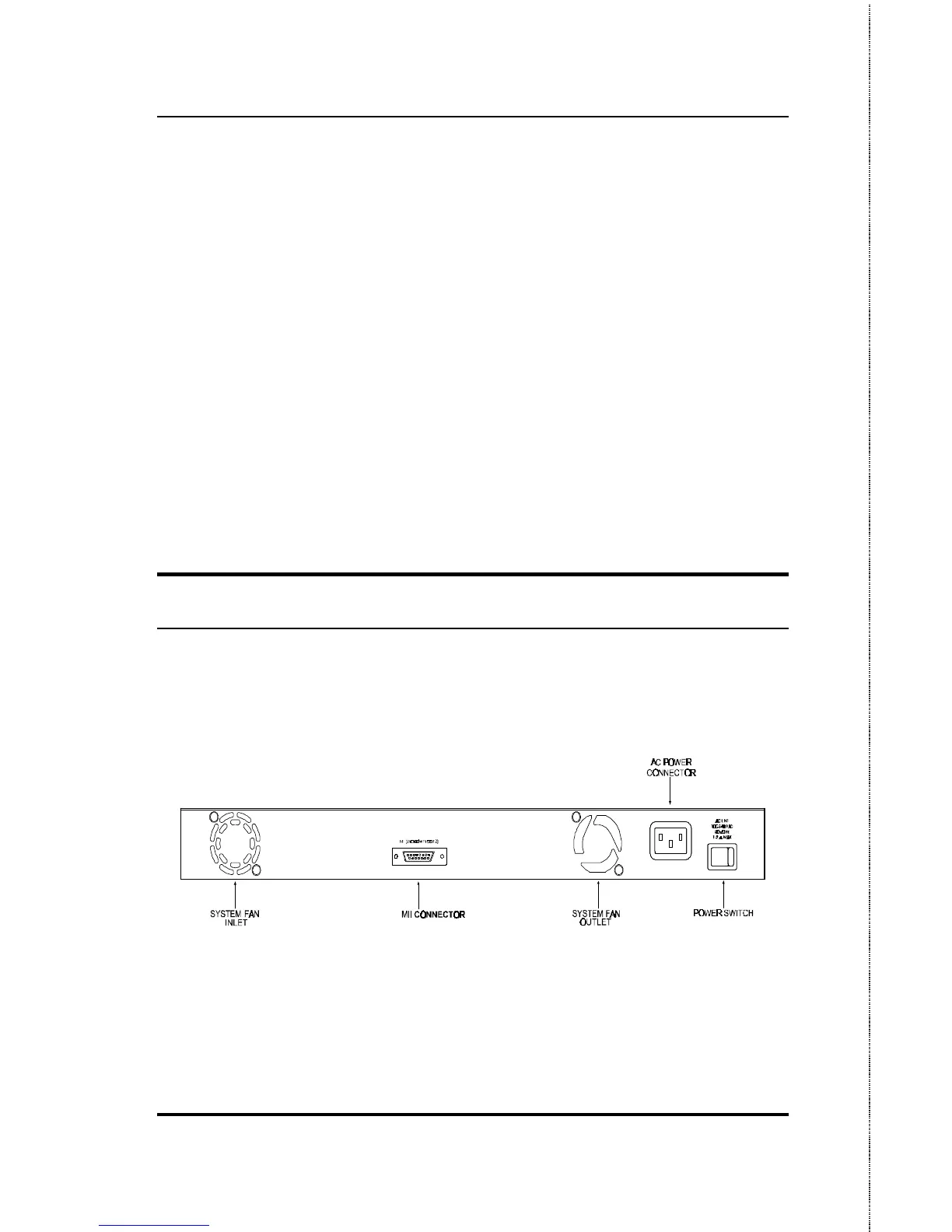
The rear panel of the Switch consists of a power switch, an AC
power connector, system fans and MII port. The following shows
the rear panel of the Switch.
Figure 3-2. Rear panel view of the DES-3208
♦ Power Switch. This turns the Switch on and off. To turn
on the system, press the switch to the “1” position; to turn
off, press the switch to the “0” position.













 To Next Page