16D-Link DIR-514 User Manual
Section 3 - Conguration
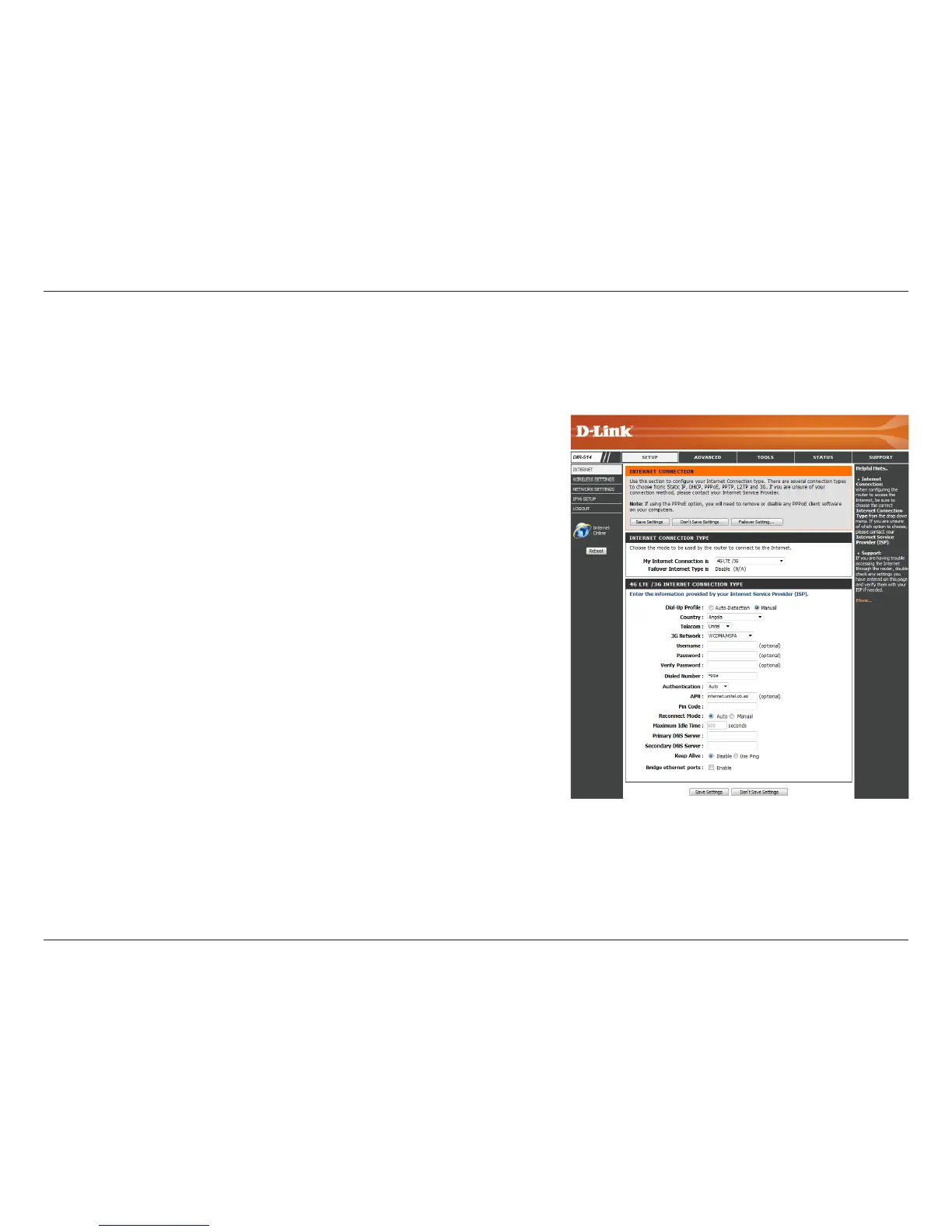
Set 4G LTE / 3G connection automatically or manually
Select your country from the drop-down menu.
Select your telecom company from the drop-down menu.
Select the correct type of 4G/3G network from the drop-down menu.
(Optional) Fill in only if requested by ISP.
(Optional) Fill in only if requested by ISP.
Enter the number to be dialed.
Select PAP, CHAP, or Auto detection. The default authentication method
is Auto.
(Optional) Enter the APN information.
If your connection requires a PIN, enter it here.
Select Auto or Manual to decide whether the router should reconnect
to your 4G LTE / 3G network automatically or manually.
Set the maximum time your connection can be idle before disconnecting.
Set it to 0 or choose Auto in Reconnect Mode to disable this feature.
If required by your ISP, enter the primary DNS server.
If required by your ISP, enter the secondary DNS server.
Use LCP Echo-Request/Response to check link status
Activate this feature to use the Ethernet WAN port as an additional
LAN port.
Dial-Up Prole:
Country:
Telecom:
3G Network:
Username:
Password:
Dialed Number:
Authentication:
APN:
Pin Code:
Reconnect Mode:
Maximum Idle
Time:
Primary DNS
Server:
Secondary DNS
Server:
Keep Alive:
Bridge Ethernet
Ports:
4G LTE / 3G Internet Connection
Choose this Internet connection if you already use a SIM card for 4G LTE / 3G Internet service from your telecom company. The elds here may
not be necessary for your connection. The information on this page should only be used if required by your service provider. After modifying any
settings, click Save Settings to save your changes.



 To Next Page