10D-Link DIR-514 User Manual
Section 3 - Conguration
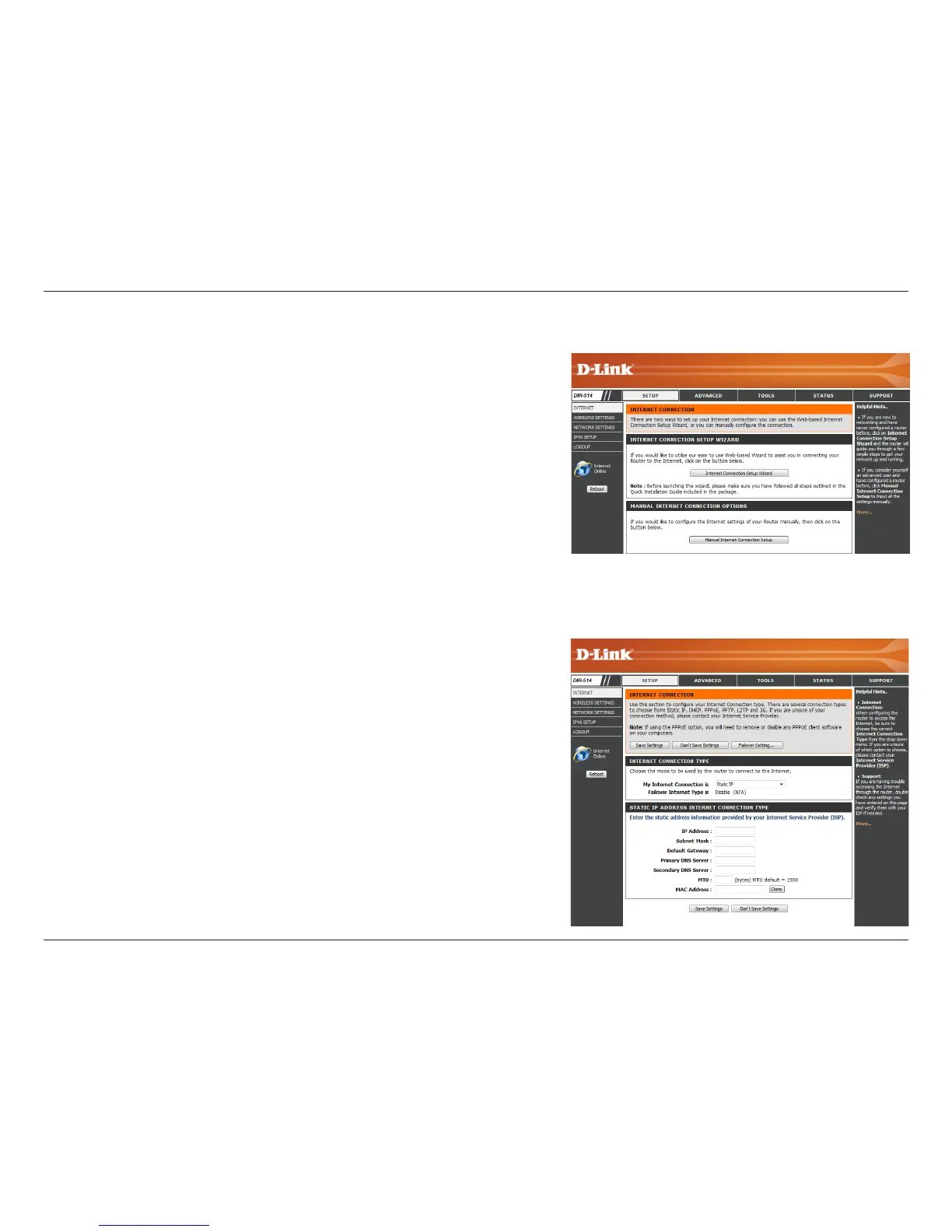
Manual Internet Connection Setup
To set up your Internet connection manually, click Manual Internet Connection
Setup.
Several dierent Internet Connection types can be selected depending upon the specications of your Internet Service Provider (ISP). You can also
set up the WAN Failover feature, which allows you to use a 4G LTE / 3G connection for your Internet connection if your main connection fails.
Select the Internet Connection type specied by your Internet Service
Provider (ISP). The corresponding settings will be displayed below.
Please see the following pages for details on how to congure these
dierent connection types.
If your connection is lost, the router will automatically switch over
to another connection type to attempt to re-establish an Internet
connection. This secondary connection type will be displayed here
if applicable. See “WAN Failover Setting” on page 17 for details.
My Internet
Connection is:
Failover Internet
Type is:



 To Next Page