17D-Link DIR-514 User Manual
Section 3 - Conguration
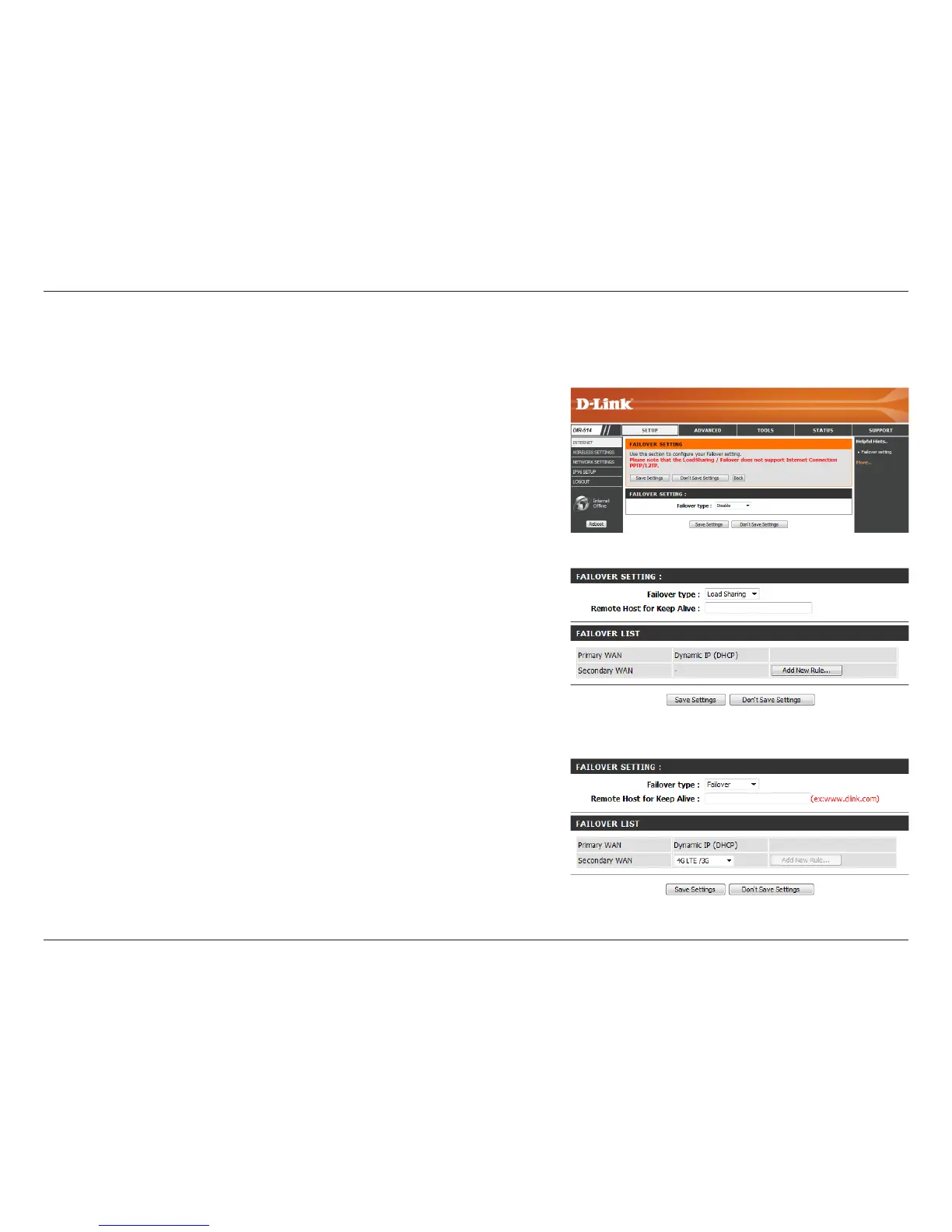
WAN Failover Setting
This option can be set to either Disable, Load Sharing, or Failover.
With Load Sharing, the data usage is distributed evenly over the
two dierent Internet connections. With Failover, the secondary
Internet connection will be in standby mode until the primary
Internet connection fails.
This option should be set to an external IP address that can be used to
ensure that the 3G/4G LTE connection will be kept from going oine
due to inactivity. An example would be Google’s public DNS servers
(8.8.8.8 or 8.8.4.4) or your Internet Service Provider’s DNS servers.
This will automatically be set to your currently selected Internet
connection type.
This can be set by clicking on Add New Rule...; the available options
will be shown in the drop-down menu.
Failover Type:
Remote Host for
Keep Alive:
Primary WAN:
Secondary WAN:
This connection can serve as a backup for your default connection. After modifying any settings, click Save Settings to save your changes.



 To Next Page