41D-Link DIR-840 User Manual
Section 3 - Setup
IPSec VPN
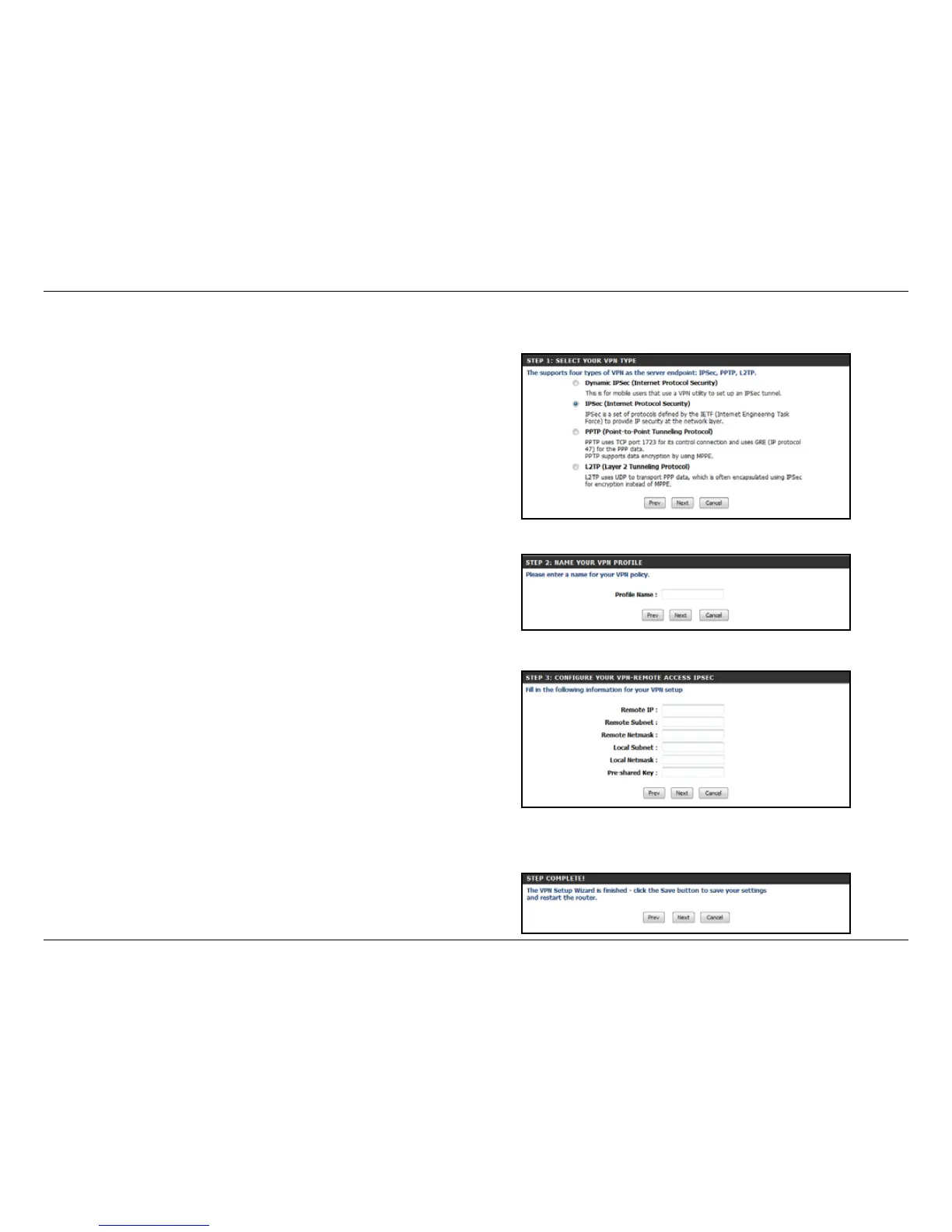
STEP 1: Choose IPSec (Internet Protocol Security) then click Next.
STEP 2: Give your VPN prole a name, and click Next.
STEP 3: Enter the Remote and Local Subnet/Mask, the Remote IP,
and the pre-shared key for your VPN, and click Next.
STEP 4: Click Next to restart the router. You have now completed
the VPN Wizard Setup.



 To Next Page