71D-Link DIR-840 User Manual
Section 4 - Advanced
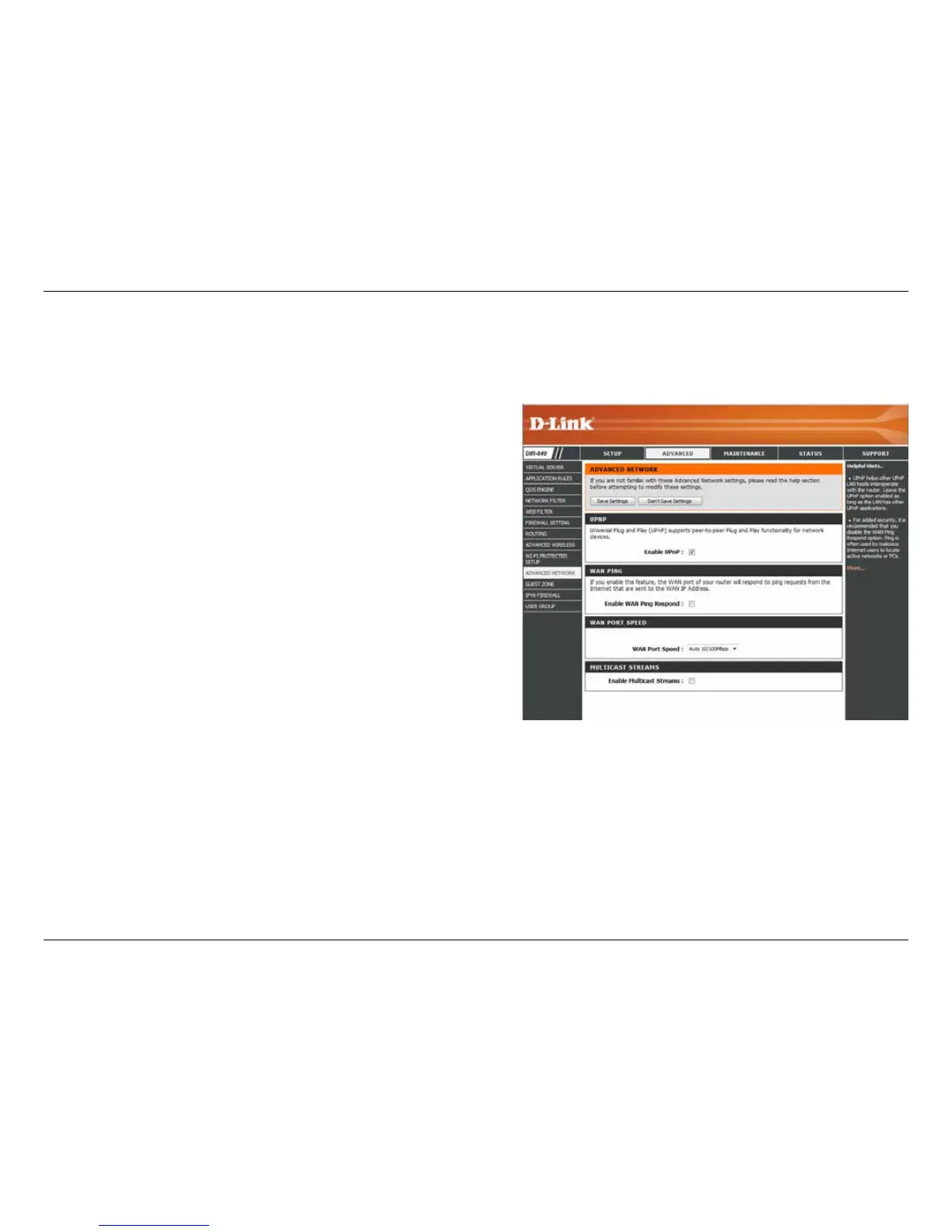
To use the Universal Plug and Play (UPnP
™
) feature click on
Enabled. UPnP provides compatibility with networking
equipment, software and peripherals.
Checking the box will allow the DIR-840 to respond to pings.
Unchecking the box may provide some extra security from
hackers.
Choose your WAN port speed from the drop-down menu.
Check the box to allow multicast trac to pass through the
router from the Internet.
Enable UPnP:
Enable WAN Ping
Respond:
WAN Port Speed:
Enable Multicast
Streams:
Advanced Network Settings
The Advanced Network Settings page oers additional feature options for power users.



 To Next Page