38D-Link DNR-322L User Manual
Section 3 - mydlink Portal
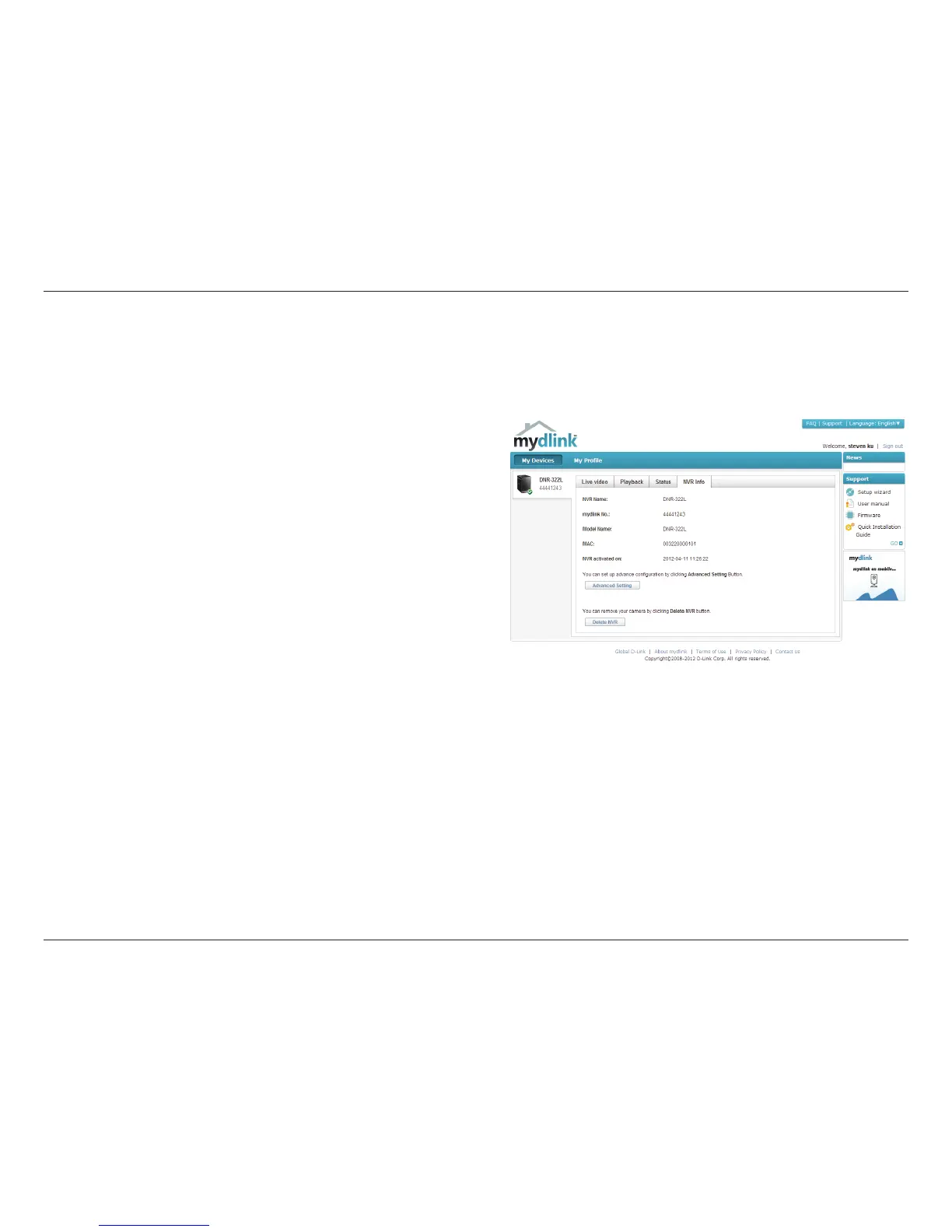
Device Name: The Device Name is a unique name that can help you to
identify it. Clicking on the Device Name will open a window for you to
log into your NVR’s configuration interface.
mydlink No.: Displays the mydlink number of your device.
Model Name: Displays the model name of your device.
MAC: Displays the MAC address of your device.
NVR activated on: Displays the time and date that your device was
added to mydlink.
Advanced Setting: This section takes you to the login page for the NVR’s
Web GUI Interface. After you log in, you can adjust advanced settings for
the NVR.
Delete NVR: This allows you to remove your camera from your mydlink
account.
NVR Info
The NVR Info tab shows you information about your NVR.



 To Next Page
 Loading...