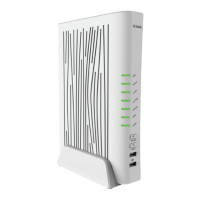
DVG-5402G/GF Wireless AC1200 MU-MIMO Dual Band
Gigabit Router with Fiber WAN Port, 3G/LTE Support, 2 FXS
Ports, and USB Port
User Manual
Configuring via Web-based Interface
Parameter Description
Password PSK
A password for WPA encryption. The password can contain digits,
Latin letters (uppercase and/or lowercase), and other characters
available in the US keyboard layout.
12
Click the Show icon ( ) to
display the entered password.
Encryption type
An encryption method: TKIP, AES, or TKIP+AES.
TKIP and TKIP+AES encryption types are not available for
WPA3-SAE and WPA2-PSK/WPA3-SAE mixed authentication
types.
Group key update
interval
The time period (in seconds), at the end of which a new key for WPA
encryption is generated. When the value 0 is specified for this field,
the key is not renewed.
802.11w (Protected
Management Frames)
For WPA2-PSK, WPA3-SAE, and WPA2-PSK/WPA3-SEA
mixed authentication types only.
Protected Management Frames help to improve packet privacy
protection for wireless data transmission. Select a value for the
wireless network from the drop-down list.
• Disabled: Protected Management Frames are not used.
• Optional: Protected Management Frames are optional.
• Required: Protected Management Frames are required.
When this value is selected, devices not supporting the
802.11w standard cannot connect to the wireless network.
The default value cannot be changed for WPA3-SAE and WPA2-
PSK/WPA3-SAE mixed authentication types.
12 0-9, A-Z, a-z, space, !"#$%&'()*+,-./:;<=>?@[\]^_`{|}~.
Page 151 of 311


 To Next Page