11
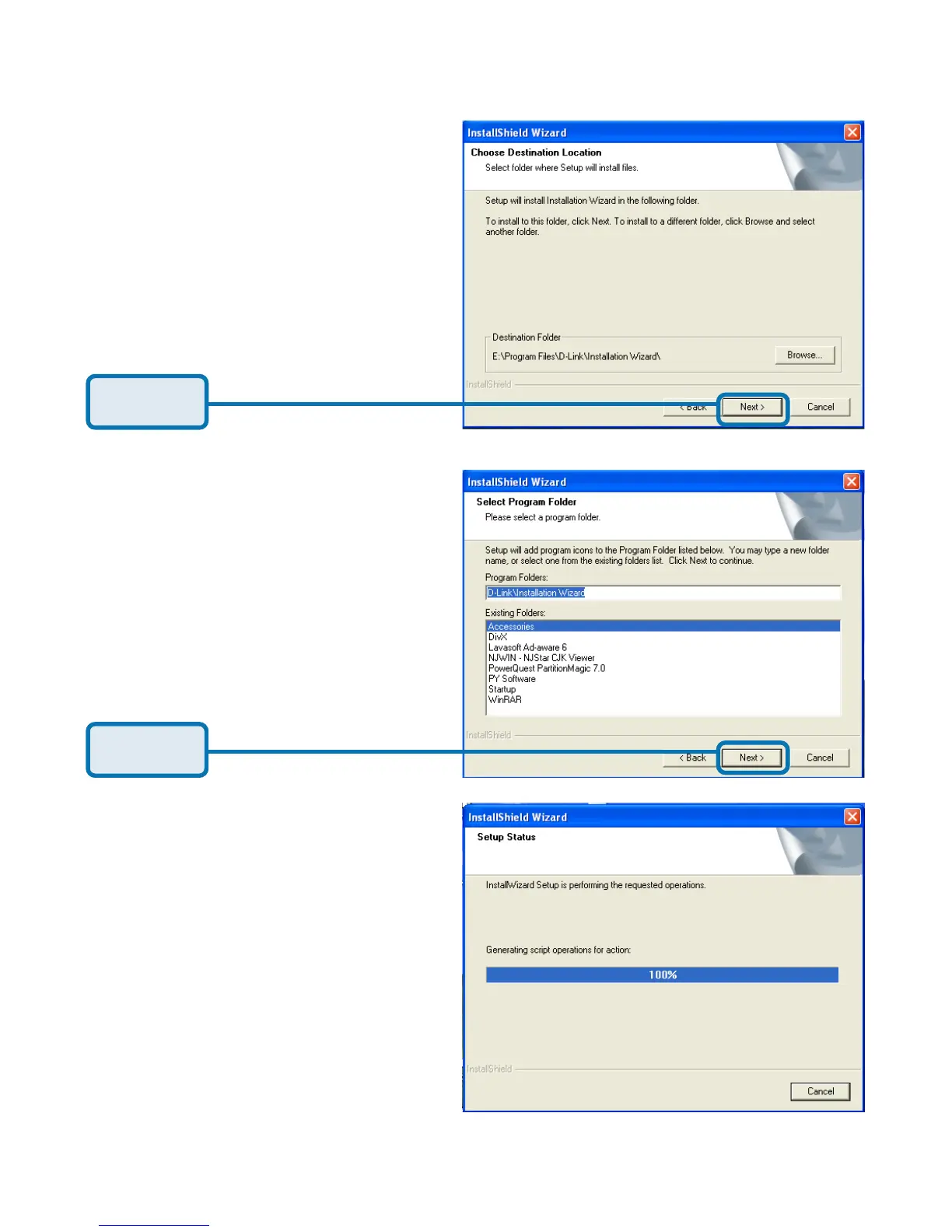
The InstallShield will install in
the following folder. To install
into a different folder, click
Browse and select another
folder.
Click Next.
Select the Program folder
that Setup will add program
icons to. You may type a new
folder name, or select one
from the existing folders list.
Click Next.
Please wait while the
Installation Wizard is
installed.
Installation Wizard (continued)















 To Next Page