79
Using IP surveillance Software (continued)
Global Settings
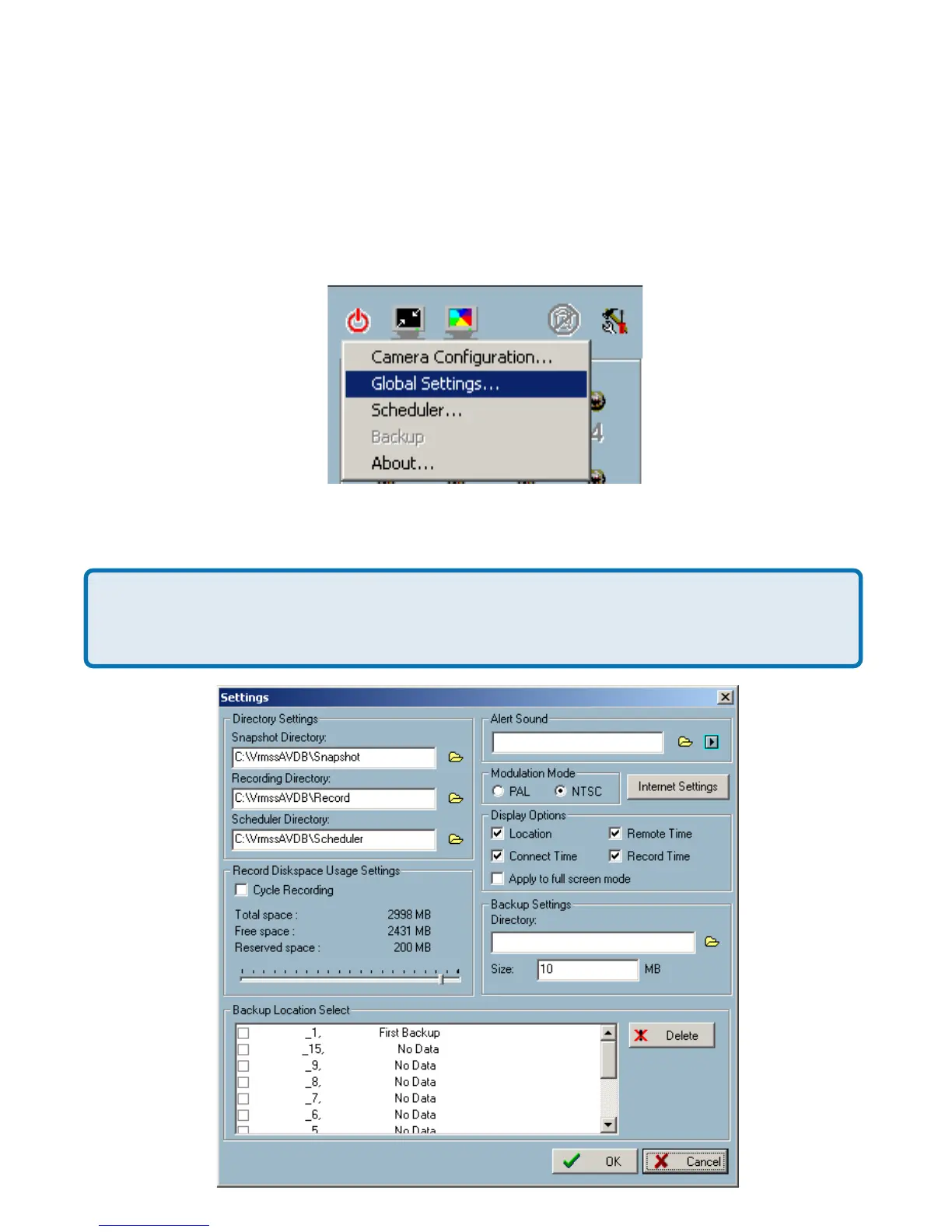
After completing the connection to each remote Network Camera, we need to
configure some global settings for all the cameras. These include the video
database directory, the usage of the Hard disk, and options for video display.
You can activate the global settings window from “Configuration Menu > Global
Settings...” shown above.
All recording processes will be stopped when activating the global settings
window, indicated by a warning window popped up in advance to keep you
informed.
Monitor Program (continued)















 To Next Page