58
Administrators can combine options on the application page to perform many
useful security applications. There are two trigger sources available: from an
external sensor or with built-in motion detection. There are also two kinds of
actions that can respond to these events that include uploading snapshots
over the internet and driving attached devices. To upload the snapshots, users
can choose either email or FTP according to user’s needs. Both e-mail and
FTP use the network settings on the network page. This section describes
how to enable motion detection and record snapshots to an FTP server.
If no external sensor is available, administrators can utilize the built-in motion
detection to monitor any abnormal movement and record the snapshots to an
FTP or SMTP server.
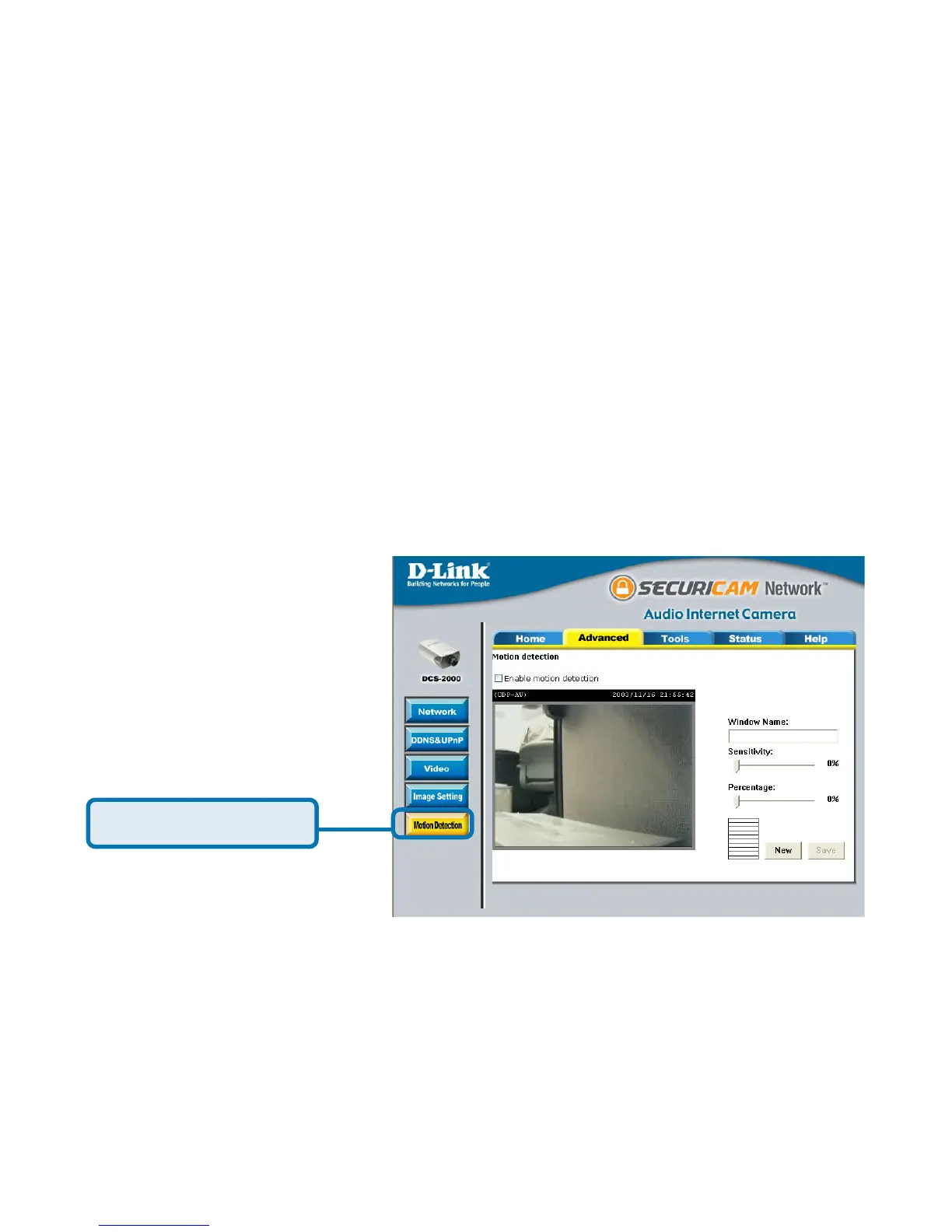
In this window, follow the steps below to ensure that motion detection is correctly
enabled:
Check “Enable motion detection.”
Click on “New” to have a new window to monitor video.
Enter in a window name.
Tune the “Sensitivity” and “Percentage” according to the local
environment. Highest sensitivity and lowest percentage provides the
most sensitive settings.
55
55
5 Click on save to enable the activity display.
Click the Motion Detection button under the Advanced tab from the
Configuration screen to access settings that affect how the DCS-2000 Internet
Camera can serve as a security device by recording only when motion is
detected.
Click Motion Detection
Back Door
X
Record Snapshots to your FTP server
with Motion Detection















 To Next Page