17
Enabling UPnP for Windows XP/Me
UPnP is short for Universal Plug and Play, which is a networking architecture
that provides compatibility among networking equipment, software, and
peripherals. The DCS-2000 is a UPnP enabled Internet camera. If your operating
system is UPnP enabled, the device will be easier to configure. If you do not
want to use the UPnP functionality, it can be disabled by unchecking the Enabled
DDNS check box on the DDNS/UPnP settings page under “Advanced” in the
configuration menu. Use the following steps to enable UPnP (Universal Plug
and Play) settings only if you are running Windows XP/Me. If you are running
Windows 98/2000, UPnP is not available.
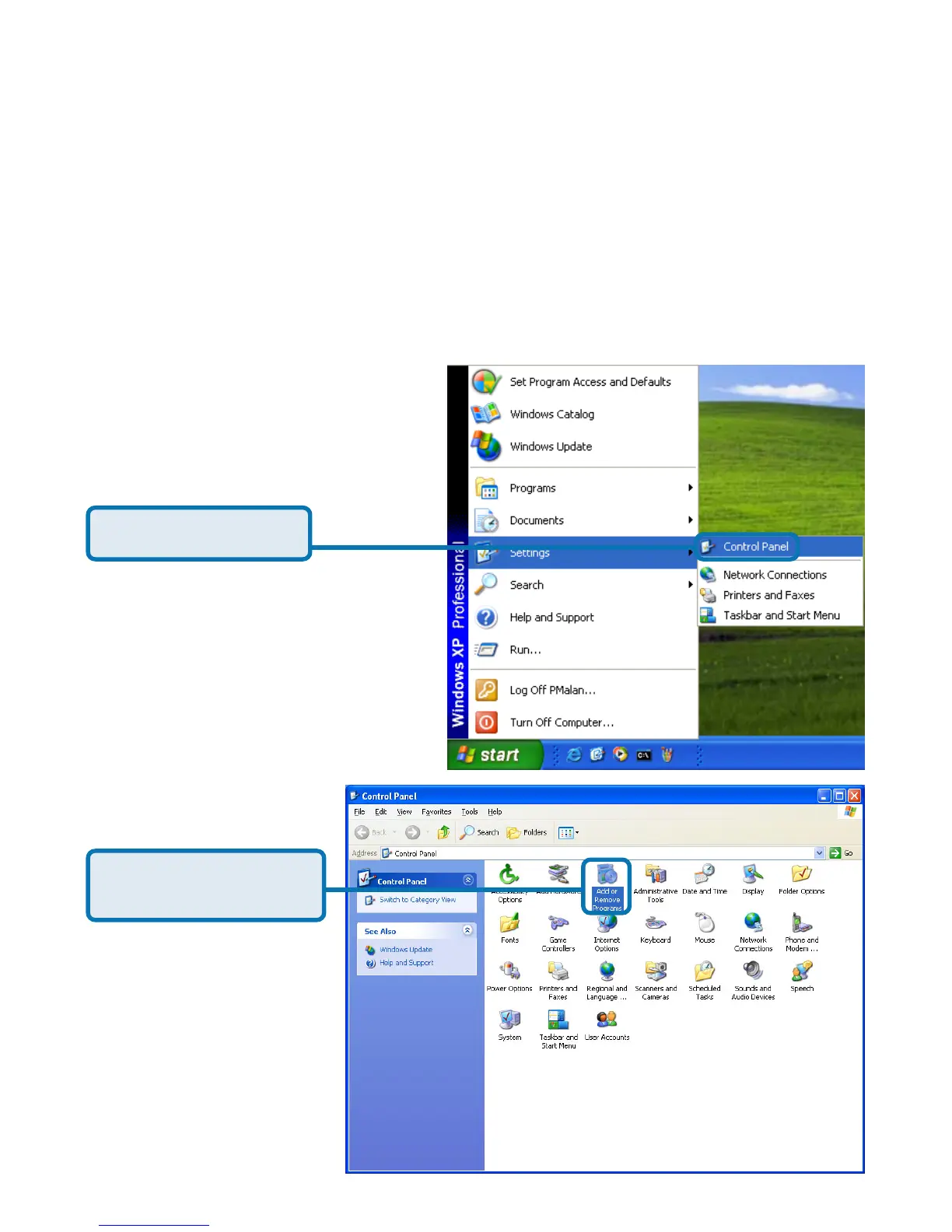
Click Control Panel
Go to Start >Settings.
Click Add or Remove
Programs















 To Next Page