119
Schedule Video Recording with Motion
Detection (continued)
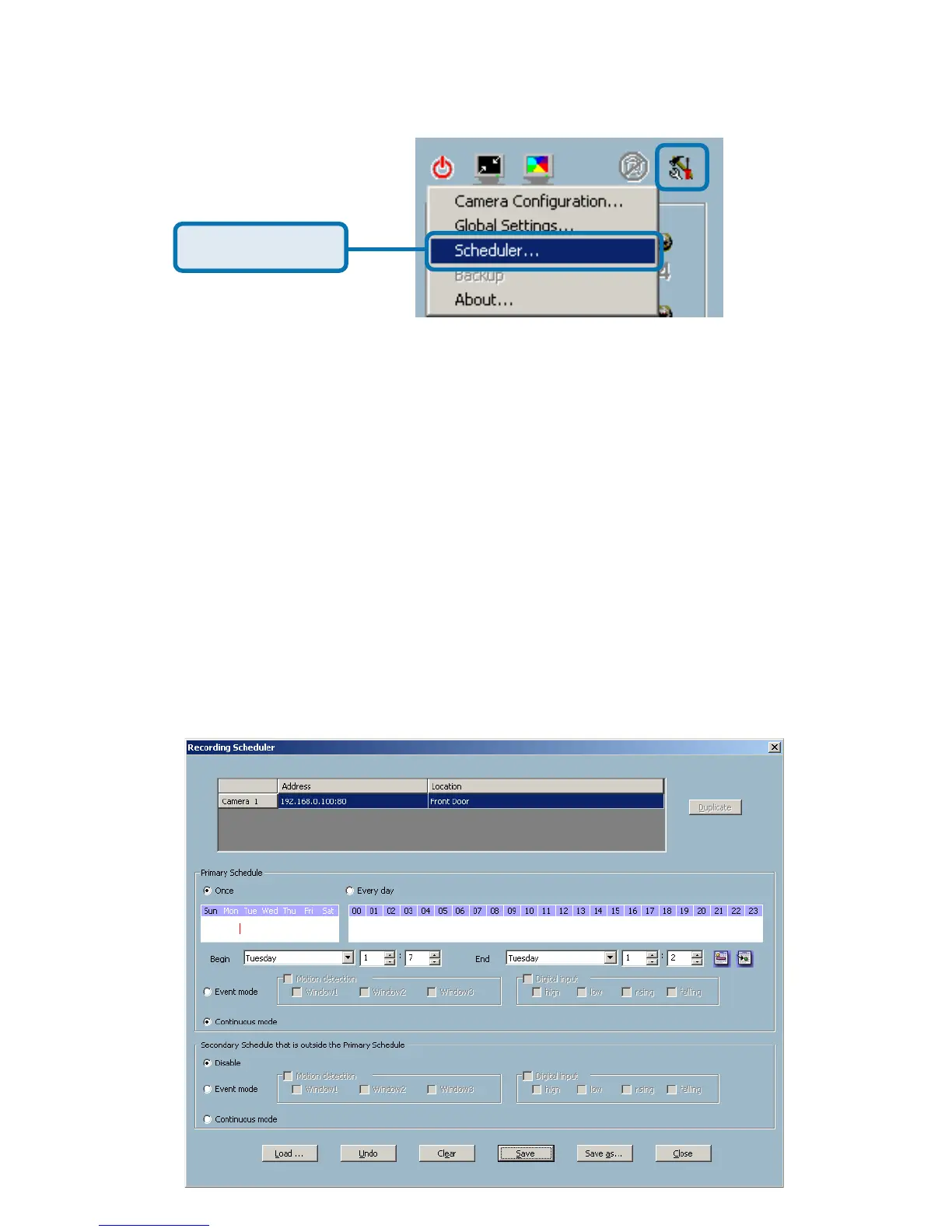
In the Primary Schedule you can choose either Once (for one time recording)
or Every Day (for scheduled recording). For example, if you would like to record
events every day during a certain time frame, click on the beginning time and
drag your mouse to the ending time. Schedule recording can be configured by
minutes, hours, days, weeks, or months.
The Secondary Schedule allows you to set a schedule outside the Primary
Schedule. The Secondary Schedule provides two options to record without
a specified date or time. You can select Event Mode, which will record
whenever an event is triggered, or Continuous Mode, which will begin
continuously after scheduling settings are saved. You do not need to set the
Secondary Schedule with the Primary Schedule. To schedule video recording
with motion detection, you can use either the Primary Schedule or Secondary
Schedule, or both.
Click Scheduler















 To Next Page