13
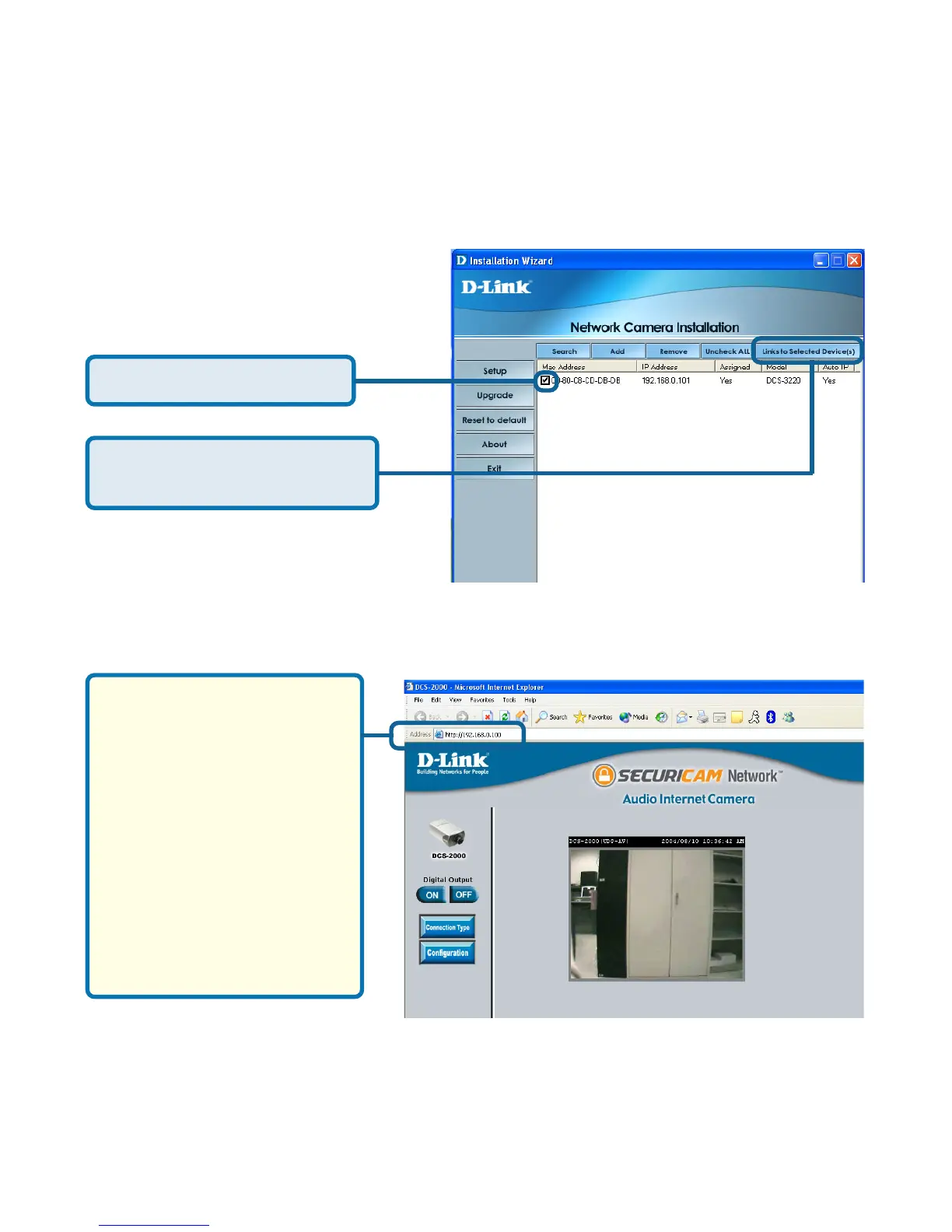
The Installation Wizard will now show a MAC address for the DCS-2000 and
an IP address. This IP address may not be correct at this step in the installation
until you see “Yes” under the assigned column. The camera is now automatically
configured with an IP address consistent to the device it is connected to.
Click on the Link to Selected
Devices button.
Select the MAC address.
After you click on the Link
to Selected Devices
button, Installation
Wizard will automatically
open your Internet
browser to the IP
Address of the DCS-
2000, in this example it is:
http://192.168.0.10. Your
DCS-2000 may have a
different IP Address.
You have now completed the Setup Wizard and are ready to use your
camera! You can also continue to the section titled “Installing IP
surveillance Software” (page 21) to install the IP surveillance software
before you begin to use the DCS-2000.
For more information regarding the functions of this screen, see the following
section titled “Installation Wizard Screen.”
Installation Wizard (continued)















 To Next Page