20
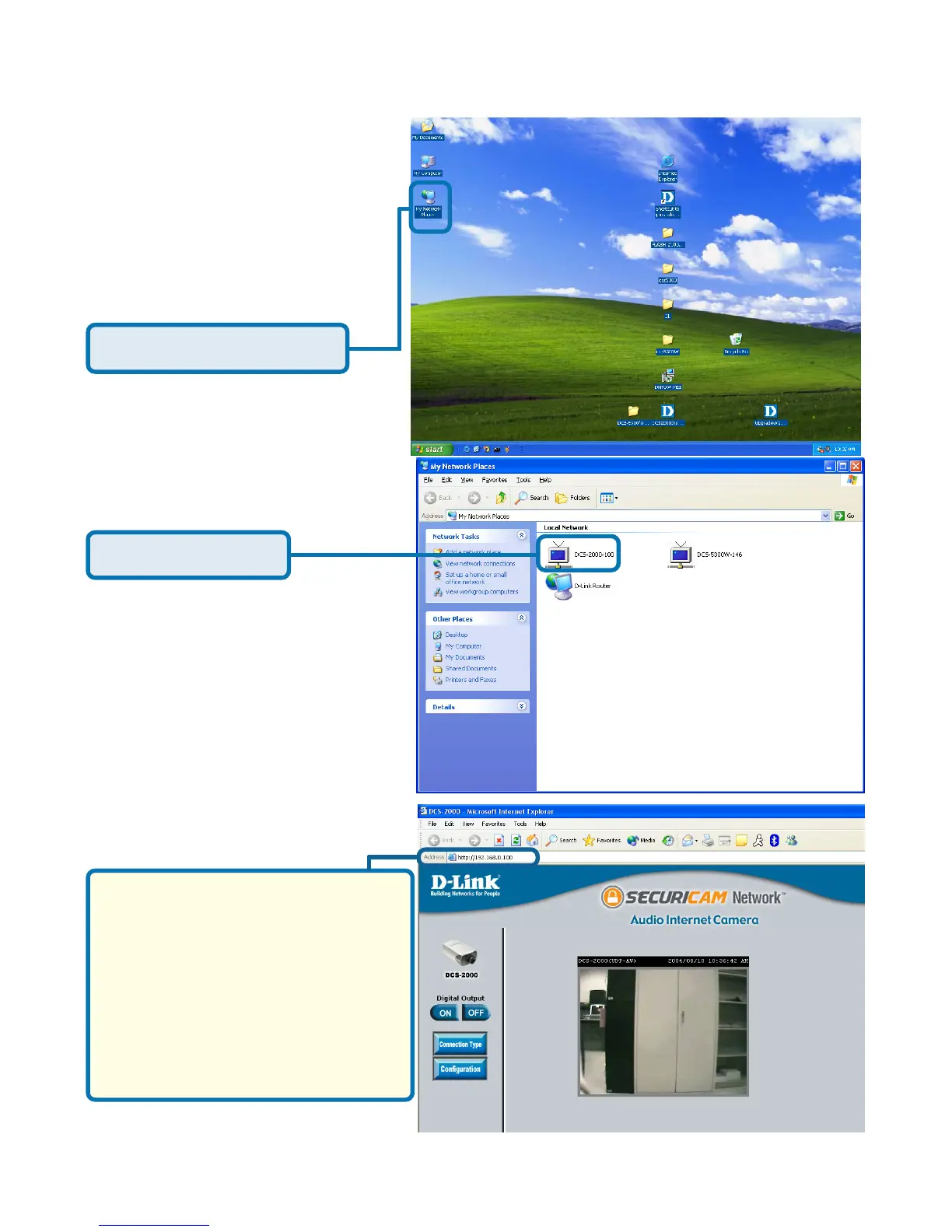
Click My Network Places
To view your DCS-2000
Internet Camera in an Internet
browser, go to your Desktop
and click My Network
Places.
Click DCS-2000-100
The last three digits (100),
represent the fourth octet of your
Internet Camera’s IP address
(in this example, 198.168.0.100).
After you click on the DCS-2000-
100 icon, your Internet browser
will automatically be opened to
the IP Address of the DCS-2000,
in this example it is: http://
192.168.0.100. Your DCS-2000
may have a different IP Address.
(Note: Screen shots are taken in Windows XP, similar screens will appear in Windows Me.)
Enabling UPnP for Windows XP/Me
(continued)















 To Next Page