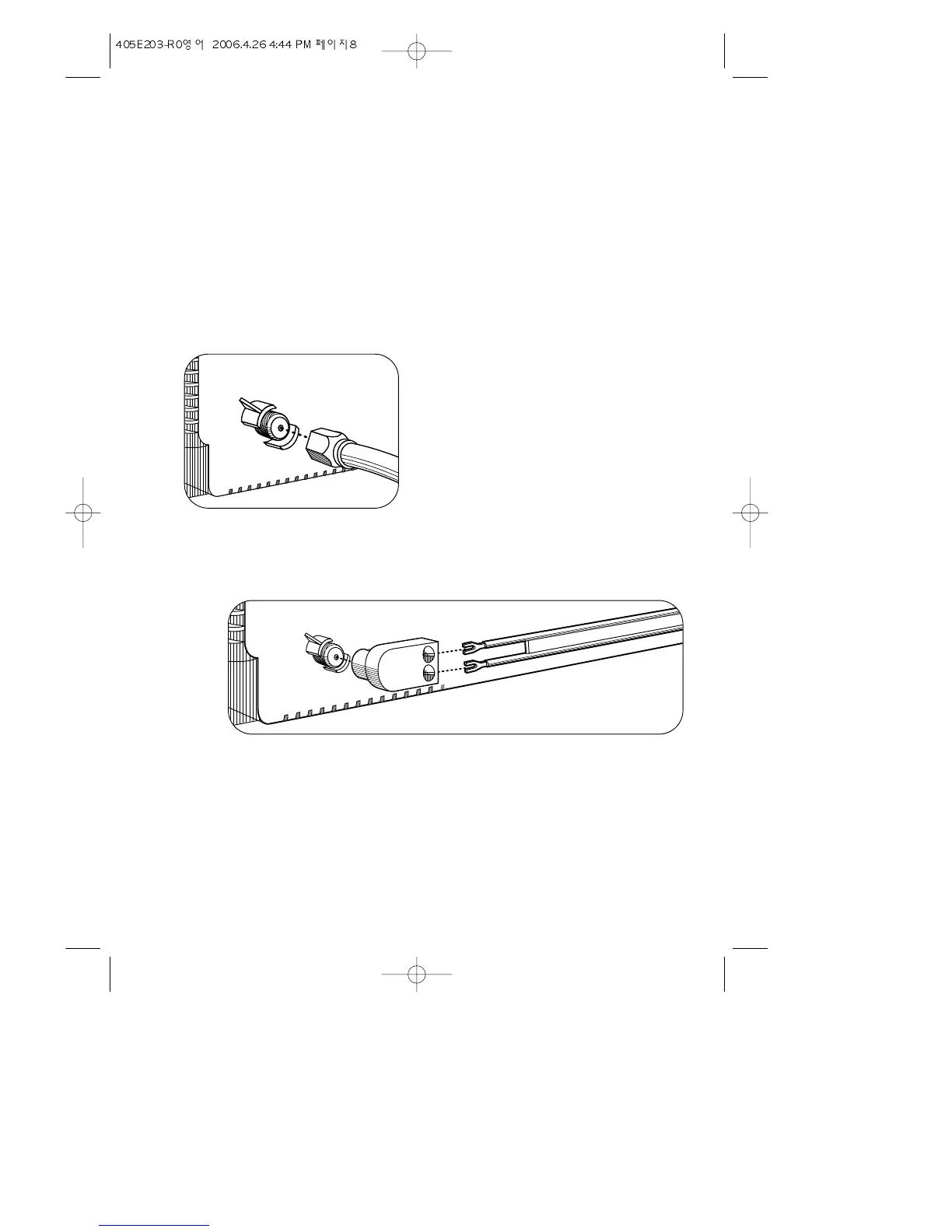
Connecting an Antenna or Cable to Your TV
Your TV will provide you with the best performance if you connect it to an external
antenna or cable system. Follow the directions below make this connection. Please
note that you will normally only have to make one of the connections shown below, not
all of them.
All connections will be made to the antenna terminal on the back of your TV. The anten-
na terminal is a silver metal post partially surrounded by two plastic tabs. For help in
locating the antenna terminal, see “Your TV’s Back Panel” on page 3.
Connecting an Antenna
If your antenna ends in a single coaxial lead,
simply press or screw the cable onto the antenna
terminal on the back of your TV.
If your antenna ends in a pair of 300 ohm twin leads, you must use a
300-ohm/75-ohm adapter(available at your local electronics store). Place the leads
underneath the screws on the adapter, tighten the screws, then press the adapter onto
the antenna terminal on the back of the TV.
8


 To Next Page