25
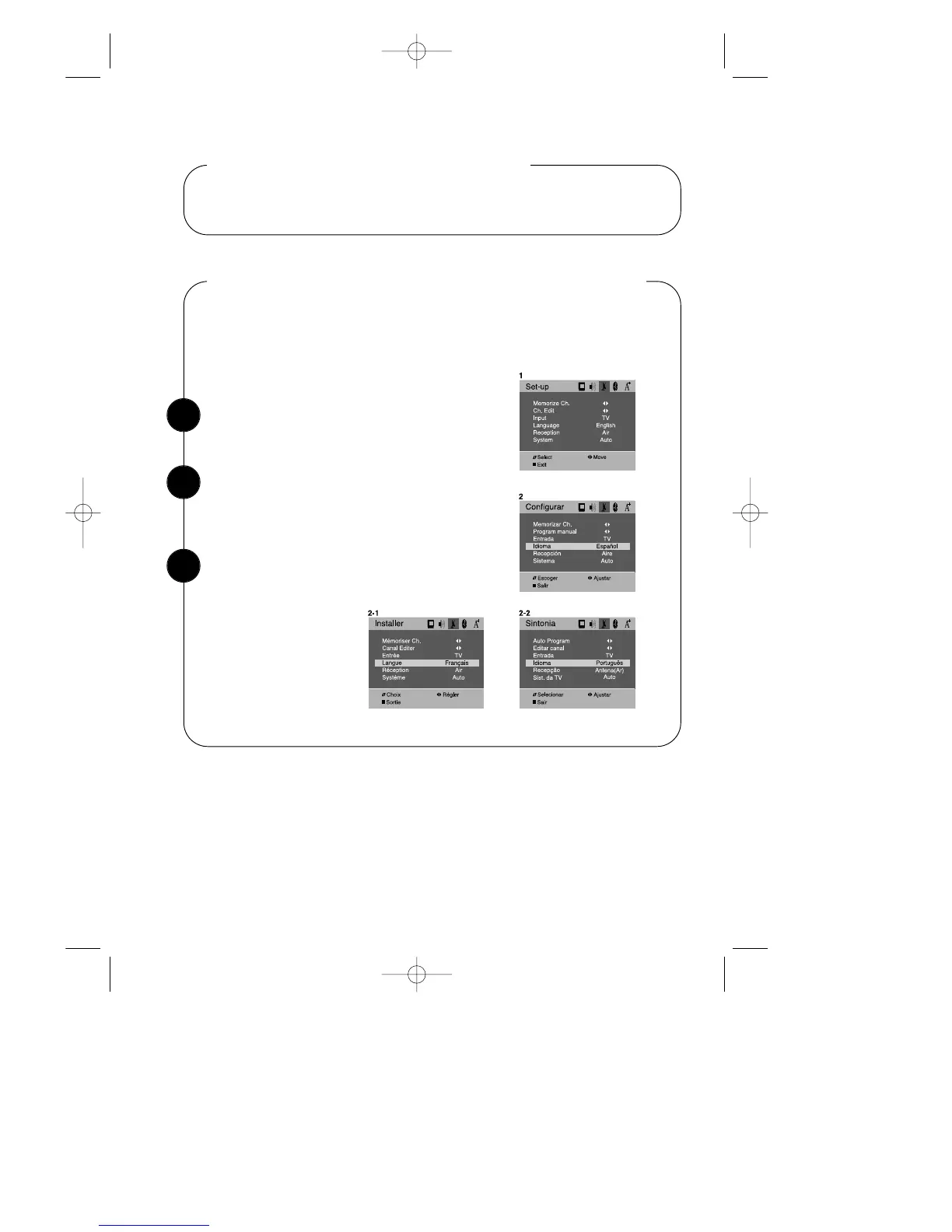
With the TV on, press the MENU button. Then
press the CVOLB buttons until “Set-up” menu will
be displayed.
Changing the Language of the On-screen Menus
Use the WCHV buttons to select “Language”.
Press the CVOLB buttons to select the language
you want to use: English, Español, Français,
Portugues.
To return to normal TV viewing, press DISPLAY
button or MENU button.
Using the Special Features
This section contains descriptions of the more advanced features of your TV.
You can choose to display the on-screen menus in English, Spanish, French,
Portugues.
To change the on-screen language:
1
2
3


 To Next Page