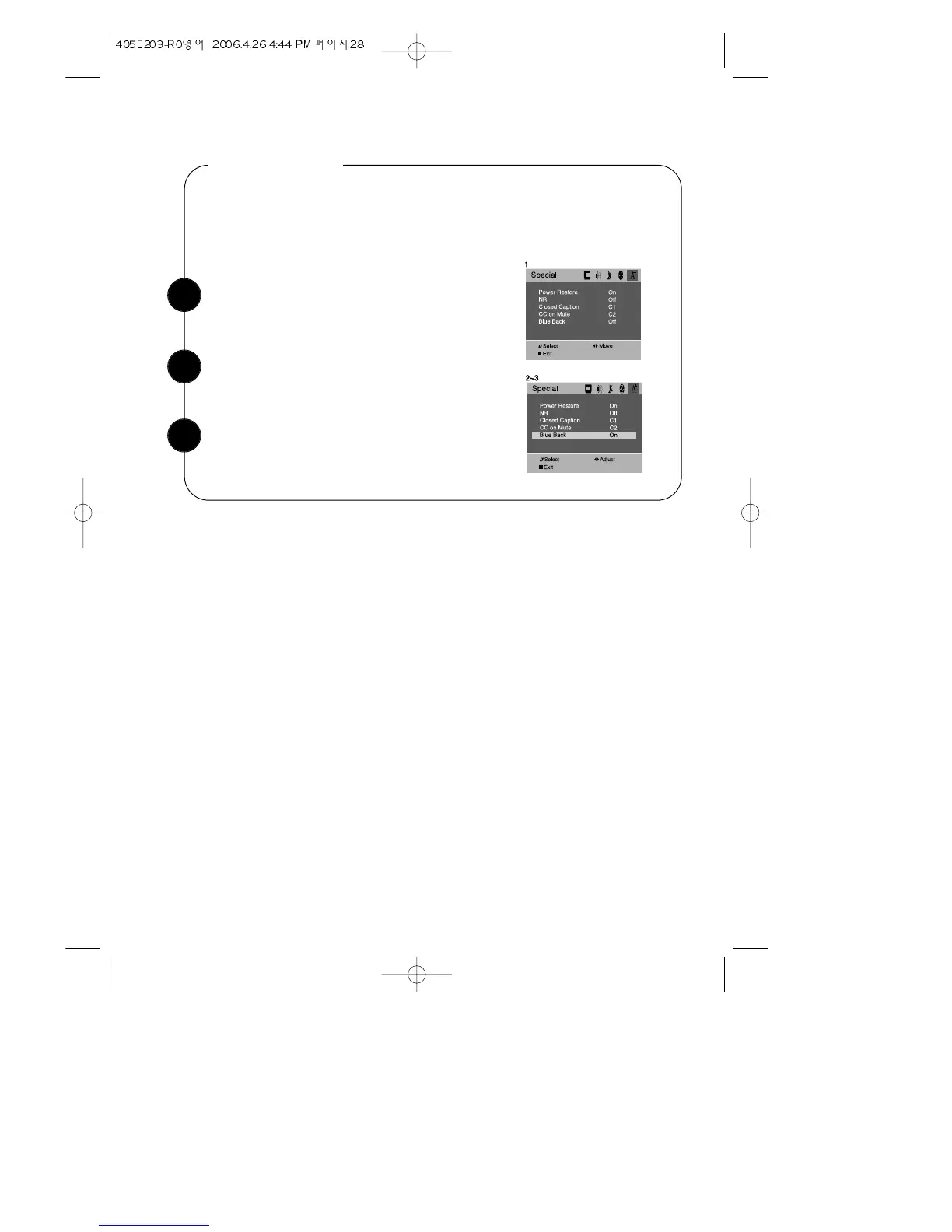
With the TV turned on, press the MENU button.
The press the CVOLB button until “Special” menu
will be displayed.
Blue Back
Use the WCHV buttons select “Blue Back” item.
User can select the Blue Back Screen in RF input. If your select the Option On, You
will see the Blue Color Screen in case that your TV catches no RF signal.
1
2
Use the CVOLB buttons to select “On” or “Off”.
3
28


 To Next Page