NOTE
Each time you press the WCHV buttons, the displayed character will change in the fol-
lowing order.
CHV A B ... Z 0 1 ... 9 -
WCH 9
8 ... 0 Z ... B A -
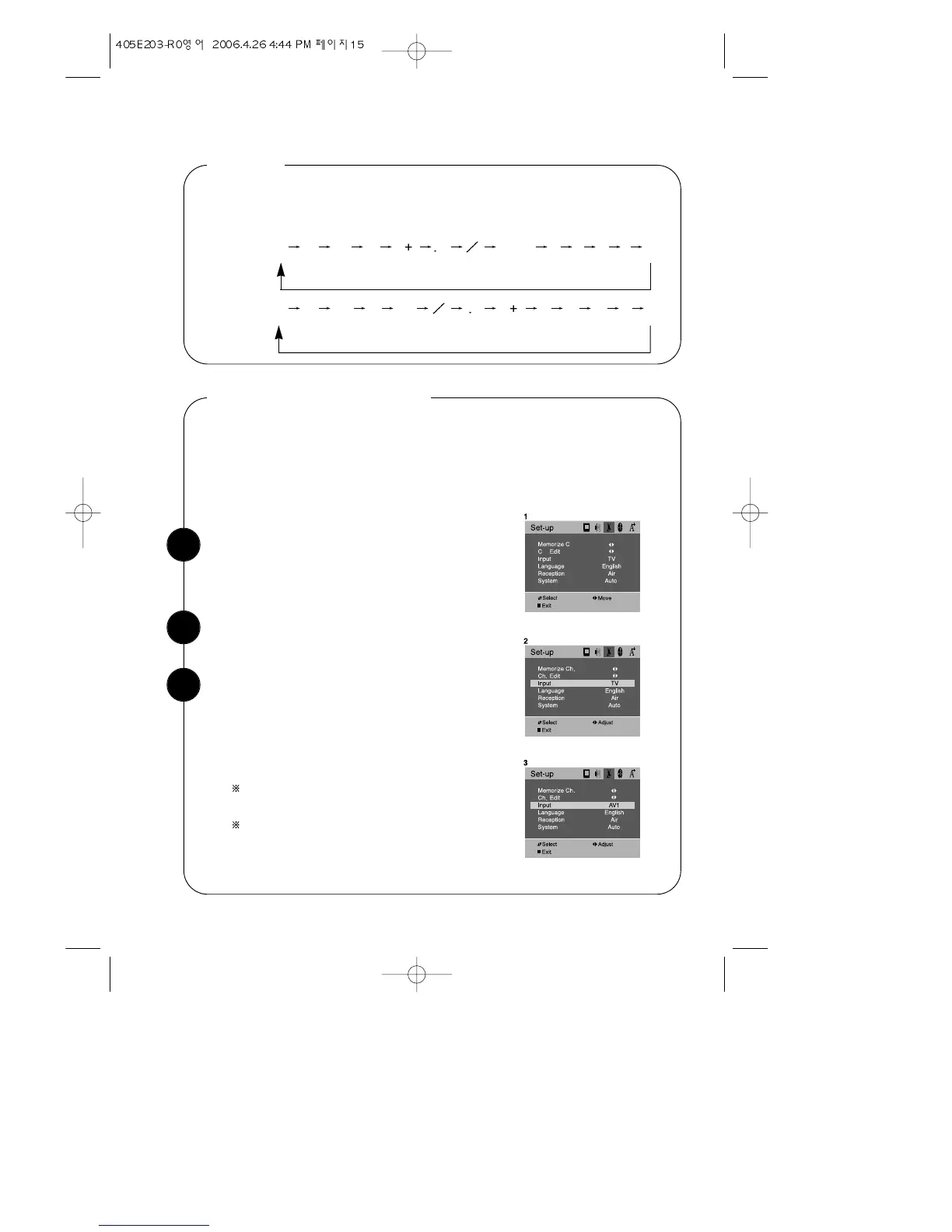
With the TV on, press the MENU button. Then use
CVOLB buttons until “Set-up” menu will be dis-
played.
Changing the TV's Input
Use the WCHV buttons to select “ Input” item.
Normally, your TV displays the signal coming through the antenna terminal. However,
if you’ve connected another component to your TV(such as a VCR & DVD) using the
Video/Audio input, you will want to be able to view the signal from the component.
To do this, you will need to switch from the ‘ TV ’ input to the ‘AV1, AV2, S-VIDEO,
COMPONENT’ Input, as follows.
Press the CVOLB buttons to change the input
source from ‘ TV ’ to ‘AV1, AV2, S-VIDEO, COM-
PONENT’ .
Wait 15 seconds, or press DISPLAY button or
MENU button to return to normal TV viewing.
COMPONENT means the Component Video
Input from the DVD player etc.
Users can also select these input modes with the
TV/AV button or the INPUT button on the remote
controller.
1
2
3


 To Next Page