22
Using Timer Functions
Your TV has a built in-clock, and you can set the TV to turn on and off at times that you
select. You can also set your TV to turn off after counting down a certain amount of time.
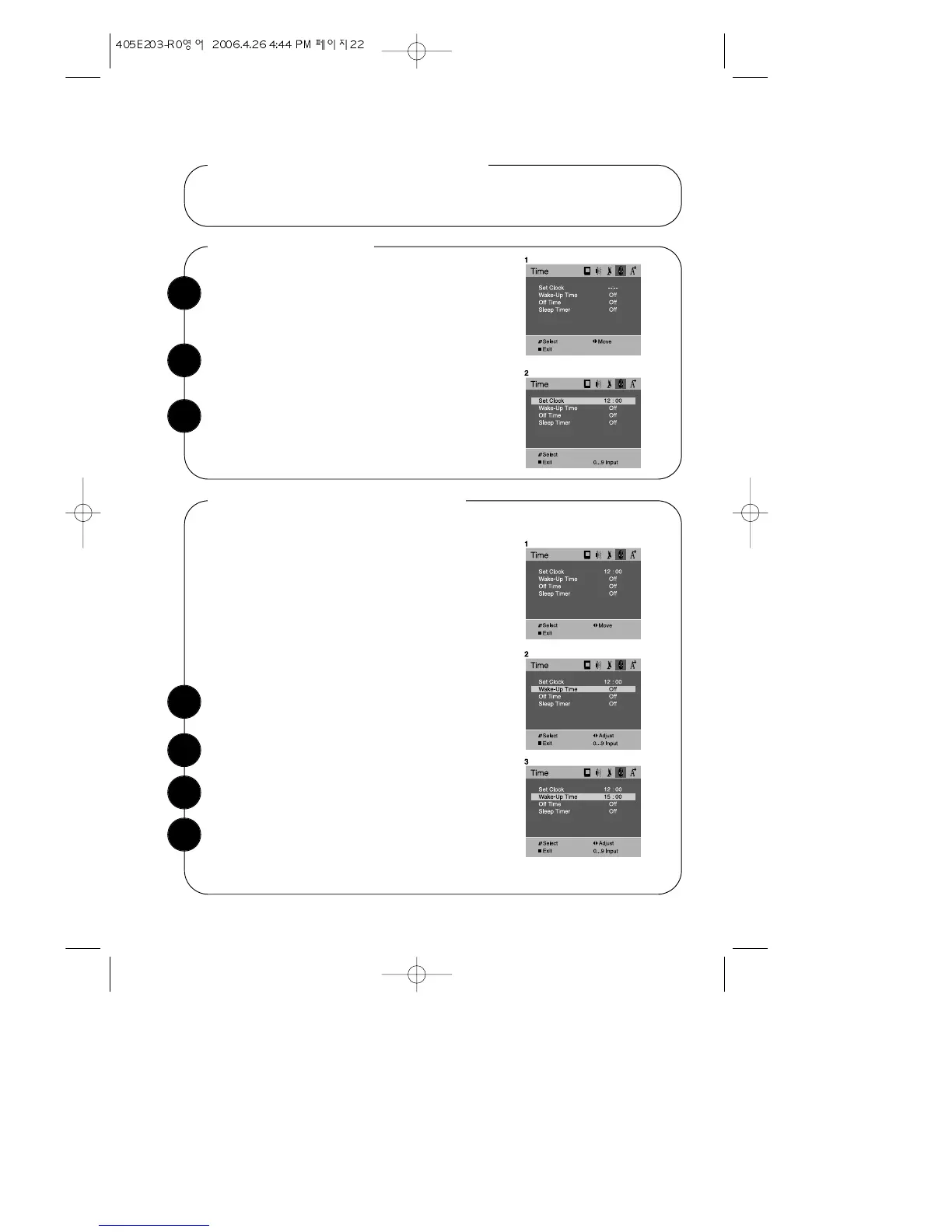
With the TV turned on, press the MENU button.
Then use CVOLB buttons until “Time” menu will
be displayed.
Setting the Clock
Use the WCHV buttons to select " Set Clock", then
use the number buttons(0~9) to set the clock.
When the clock is set correctly, use the WCHV
buttons to select another “Time” function, or press
DISPLAY button or MENU button to return to normal
TV viewing.
With the TV turned on, press the MENU button. Then
use CVOLB buttons until “Time” menu will be displayed.
Setting the Wake-Up Time
Use the WCHV buttons to select “Wake-Up Time” item.
If you enter a time in the “Wake-Up Time” setting,
your TV will automatically turn on at that time. Follow
these instructions to set the “Wake-Up Time”.
After Wake-up Time turned on the TV set, if user do
not input the user control (e.g. remote CH or VOL
key) within 2 hours, the TV set will turn off automati-
cally. If user input the user control within 2 hours, the
TV set will turn on continuously.
It is safety feature for prevent from any kind of prob-
lem without human control.
1
2
3
1
2
When the setting is correct, use the WCHV but-
tons to select another “Time” function, or press
DISPLAY button or MENU button to return to nor-
mal TV viewing.
3
4
Use the number buttons(0~9) to set the Wak-up time.


 To Next Page