26
Many TV shows contains “Closed Caption”. These captions are hidden words that
can be displayed on your TV screen. There are two types of these words :
“captions” usually follow the action on-screen, providing a written version of the dia-
logue, narration, and sound effects ; “text” is not usually related to the action
on-screen, often providing information such as news or weather. A TV program
might be providing more than one set of captions or one set of text.
To set your TV to display captions or text.
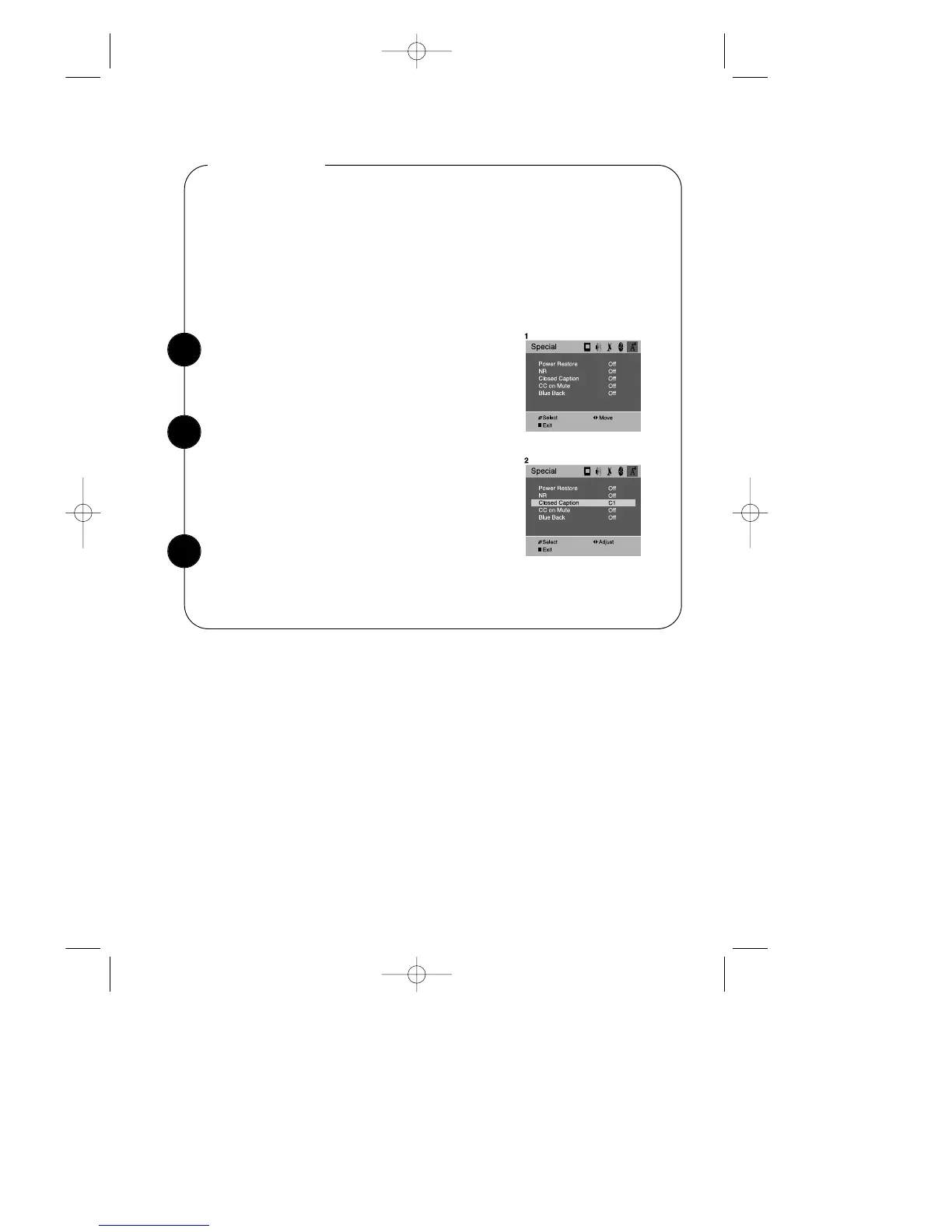
With the TV turned on, press the MENU button.
Then press the CVOLB buttons until “special”
menu will be displayed.
Captioning
Use the WCHV buttons to select “Closed Caption”.
To turn captioning on, use the CVOLB buttons to
select Captions (C1 or C2) or Text (T1 or T2).
At the time these instructions were written, only C1
is normally available, but feel free to try the other
selections.
1
2
Wait 15 seconds, or press DISPLAY button or
MENU button to return to normal TV viewing.
Your setting will remain intact until you change it.
3


 To Next Page