User can select the AUTO / NTSC-M / PAL-M / PAL-N color system modes.
1 With the TV on, press the MENU button. Then use CVOLB buttons until "Set-up"
menu will be displayed.
2 Use the WCHV buttons to select "System" item.
3 WPress the CVOLB buttons to select ‘AUTO, NTSC-M, PAL-M’ or ‘PAL-N’.
Selecting the system
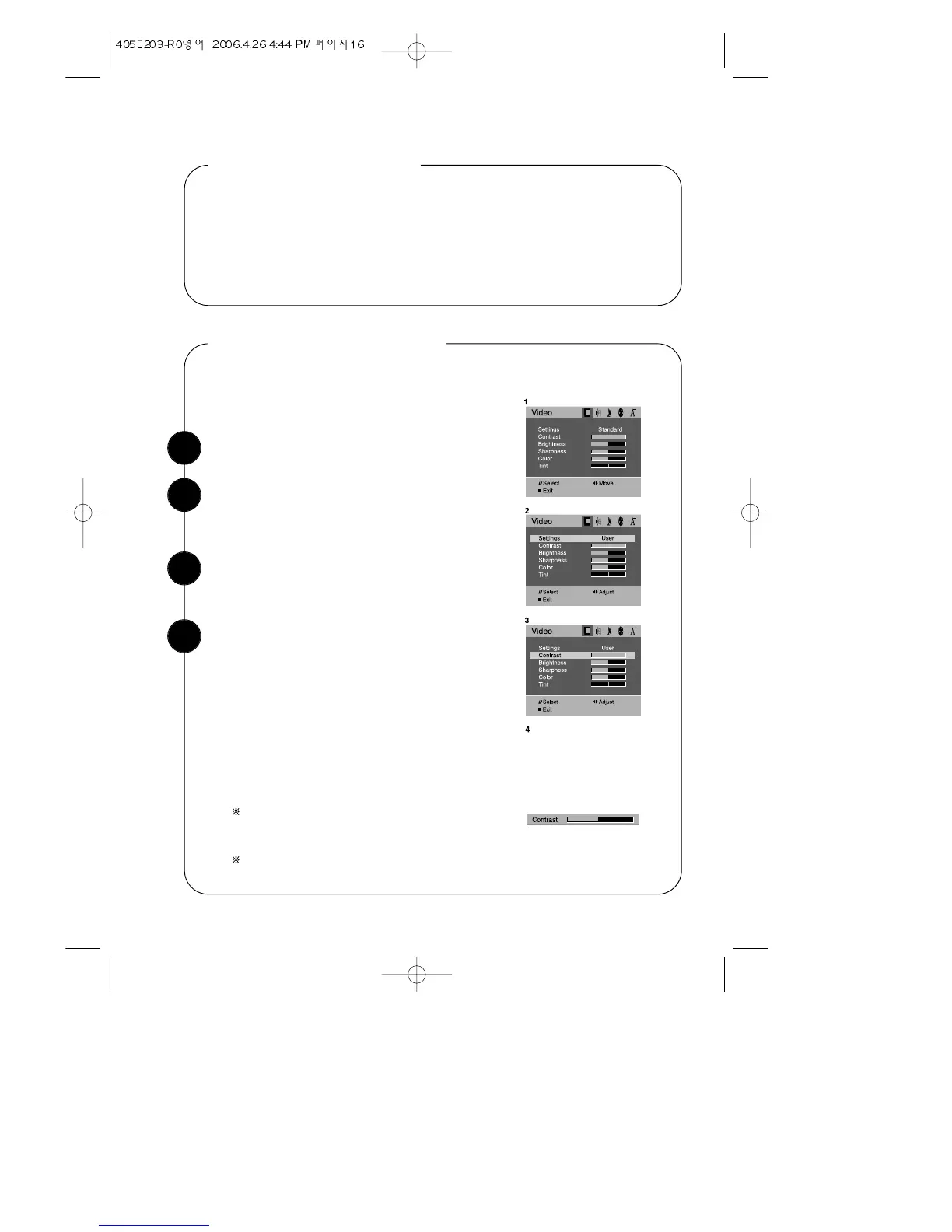
With the TV on, press the MENU button. Then
“Video” menu will appear.
Adjusting Video Settings
Select the “Settings” item by use the WCHV but-
tons. Then use the CVOLB buttons to turn Settings
to ‘Standard’, ‘Soft’ or ‘User’.
Use the WCHV buttons to select the video setting
you wish to adjust. Descriptions of the video set-
tings are on the next page.
Use the CVOLB buttons to adjust the video set-
ting to the level you prefer.
Use the WCHV buttons to select another video
setting to adjust.
When you are finished, press DISPLAY button or
MENU button to return to normal TV viewing.
VIDEO button on the Remote Controller, can do
the same function.
Users do not need to handle many operation units
in adjusting the picture on the screen. Just make
one of the selections already built in by the company’s experts.
If the NTSC standard is detected (eg from VHS player connected to AV1),
then Tint will available. Otherwise Tint will be displayed, but not selectable.
You may wish to adjust the video settings (e. g.
contrast or color) to obtain the most pleasing pic-
ture. To do so, follow these directions:
1
2
3
4
16


 To Next Page