21
Selecting the Automatic Volume Controller
Use the WCHV buttons to select “AVC” item.
With the TV turned on, press the MENU button. Then press the CVOLB buttons
until “Audio” menu will be displayed.
1
2
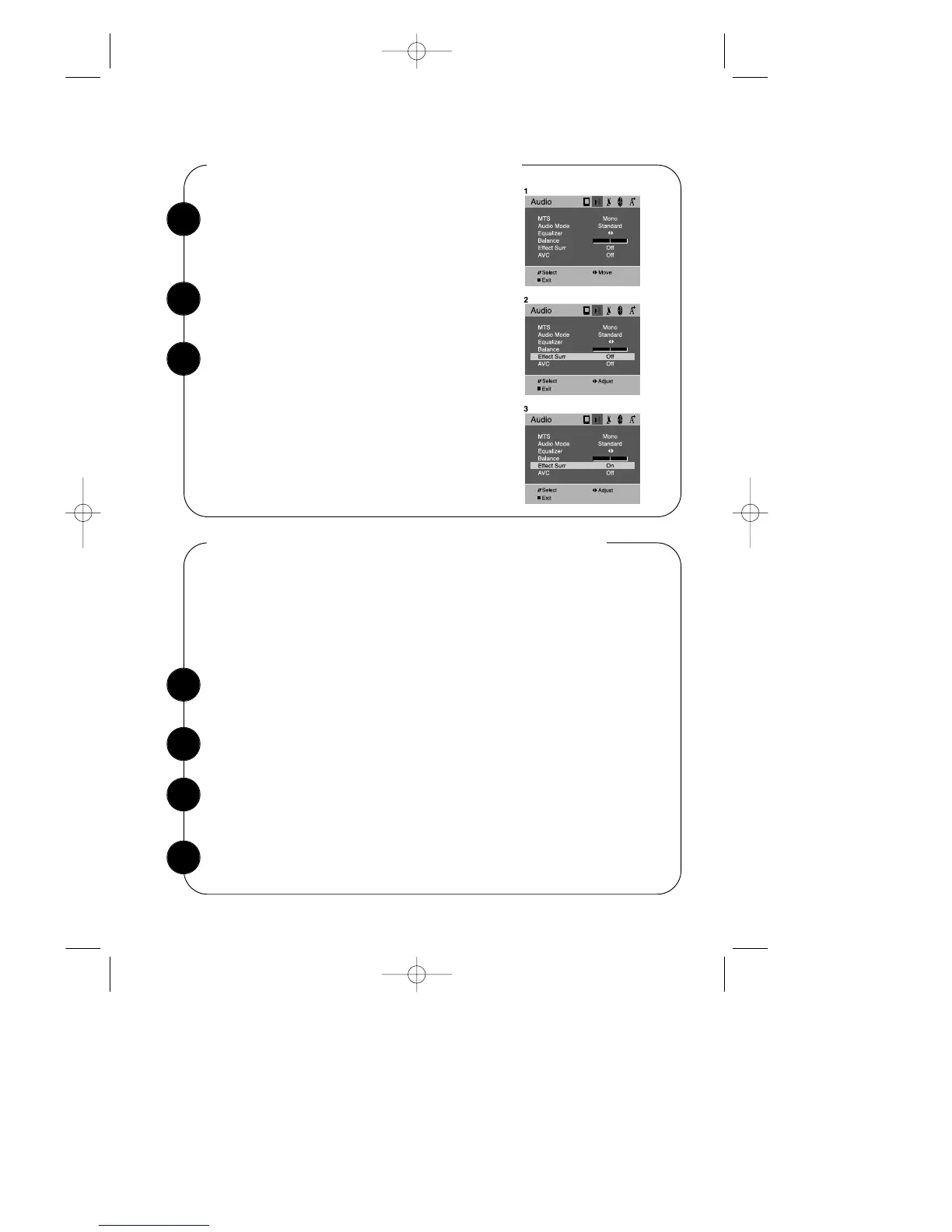
Selecting the Surround Effect Mode
With the TV turned on, press the MENU button.
Then press the CVOLB buttons until “Audio”
menu will be displayed.
Use the WCHV buttons to select “Effect Surr.” item.
To return to normal TV viewing, press DISPLAY
button or MENU button, or wait 15 seconds.
Your setting will remain intact until you change it.
Your TV will then automatically reproduce either
stereo or monaural sound, whichever is broadcast.
1
2
Automatic volume controller (AVC option) feature has 4 levels according to your
preference. This feature corrects for large volume level changes, such as occur
when passing from a movie to advertisements. The AVC solves the problem by
equalizing the volume level, over a ‘SHORT’, ‘MEDIUM’, ‘LONG’ period (referring
to the time constant over which the equalizing effect lasts)
Use the CVOLB buttons to select “On” or “Off”.
3
Press the CVOLB buttons to changing the AVC mode from ‘Off’, ‘Short’, ‘Medium’
or ‘Long’.
3


 To Next Page