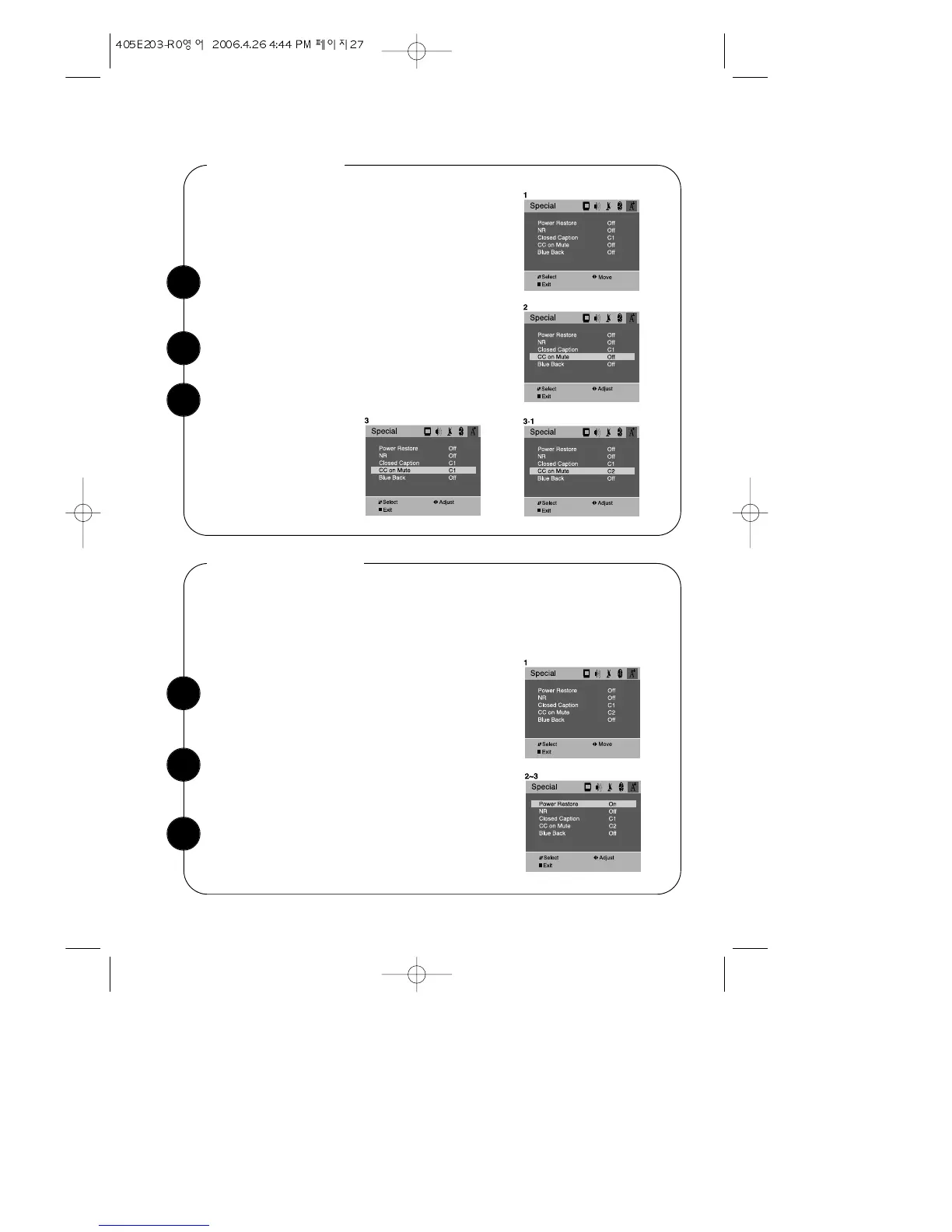
With the TV turned on, press the MENU button.
Then press the CVOLB buttons until “Special”
menu will be displayed.
CC on Mute
Use the WCHV buttons to select “CC on Mute” item.
Use the CVOLB buttons to select “C1” or “C2”.
With the TV turned on, press the MENU button.
Then press the CVOLB buttons until “Special”
menu will be displayed.
Power Restore
Use the WCHV buttons select “Power Restore”
item.
User can select the On/Off status when the power cord put into the wall outlet. If user
have a cable box with AC outlet, then user can connect the TV power cord to the AC
outlet and control the TV without TV remote control. This function is rarely used for
home use, so special care is needed while using.
1
2
3
1
2
With this function, user can select the caption dis-
play instead of sound mute when using the Mute
button by necessity.
Use the CVOLB buttons to select “On” or “Off”.
3
27



 To Next Page