User's Manual
139
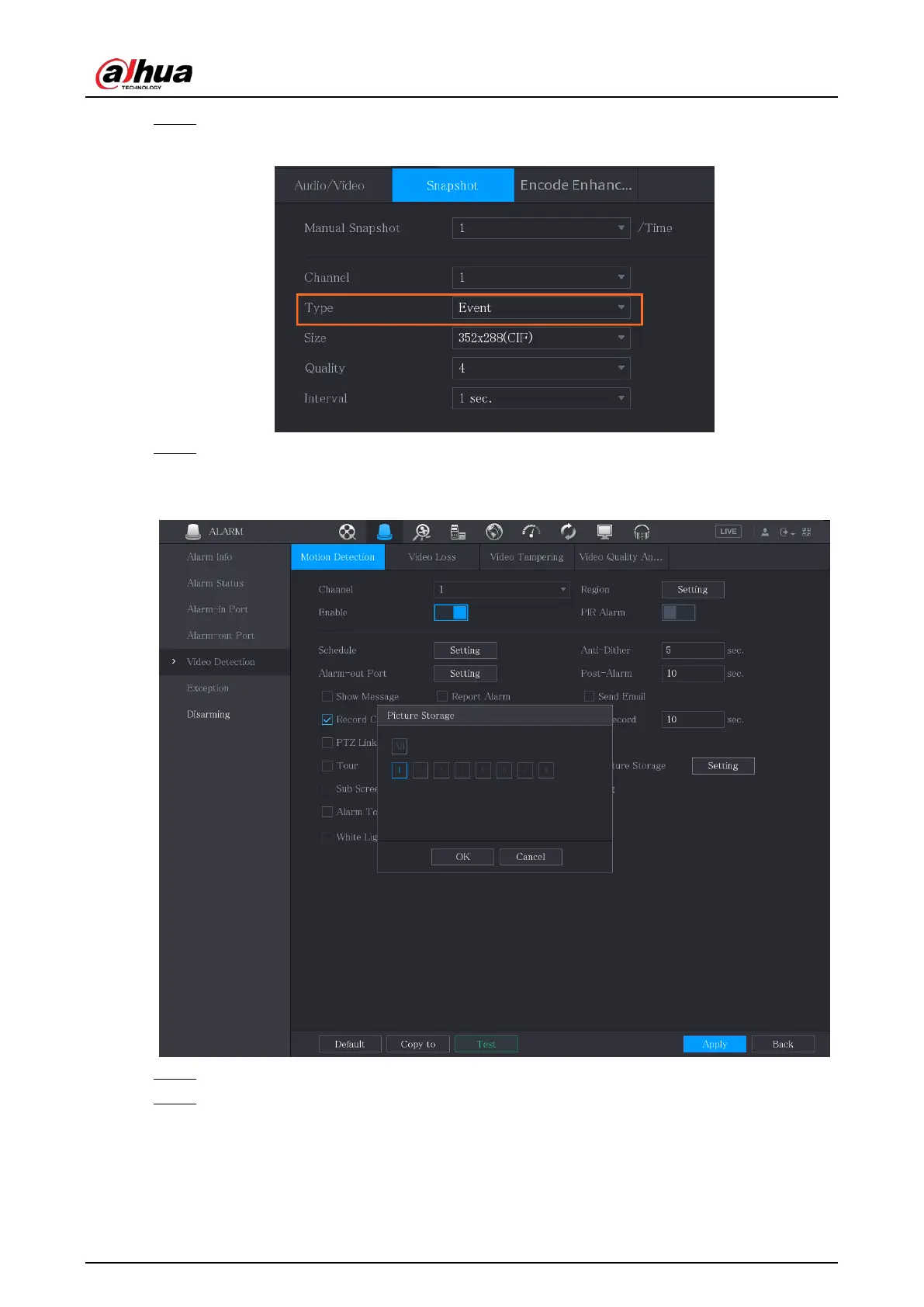
Step 2 In the
Type
list, select
Event
, and then configure other parameters.
Figure 5-92 Event
Step 3 Select
Main Menu
>
ALARM
>
Video Detection
, and select the event type to configure,
for example, select the
Motion Detection
tab.
Figure 5-93 Motion detection
Step 4 Click
Setting
next to
Picture Storage
checkbox and select the corresponding channel.
Step 5 Click
Apply
.
5.8.2 Configuring Snapshot Storage Schedule
You need to configure the storage schedule for the snapshot so that the snapshot can be saved. For


 To Next Page
 Loading...