User's Manual
252
5.15 Network Management
5.15.1 Configuring Network Settings
You can ensure the network interworking between the Device and other devices through
configuring the network settings.
5.15.1.1 Configuring TCP/IP Settings
Select
Main Menu
>
NETWORK
>
TCP/IP
, and then you can configure the settings for the Device
such as IP address, DNS according to the networking plan. For details, see "5.1.4.4 Configuring
Network Settings".
5.15.1.2 Configuring Port Settings
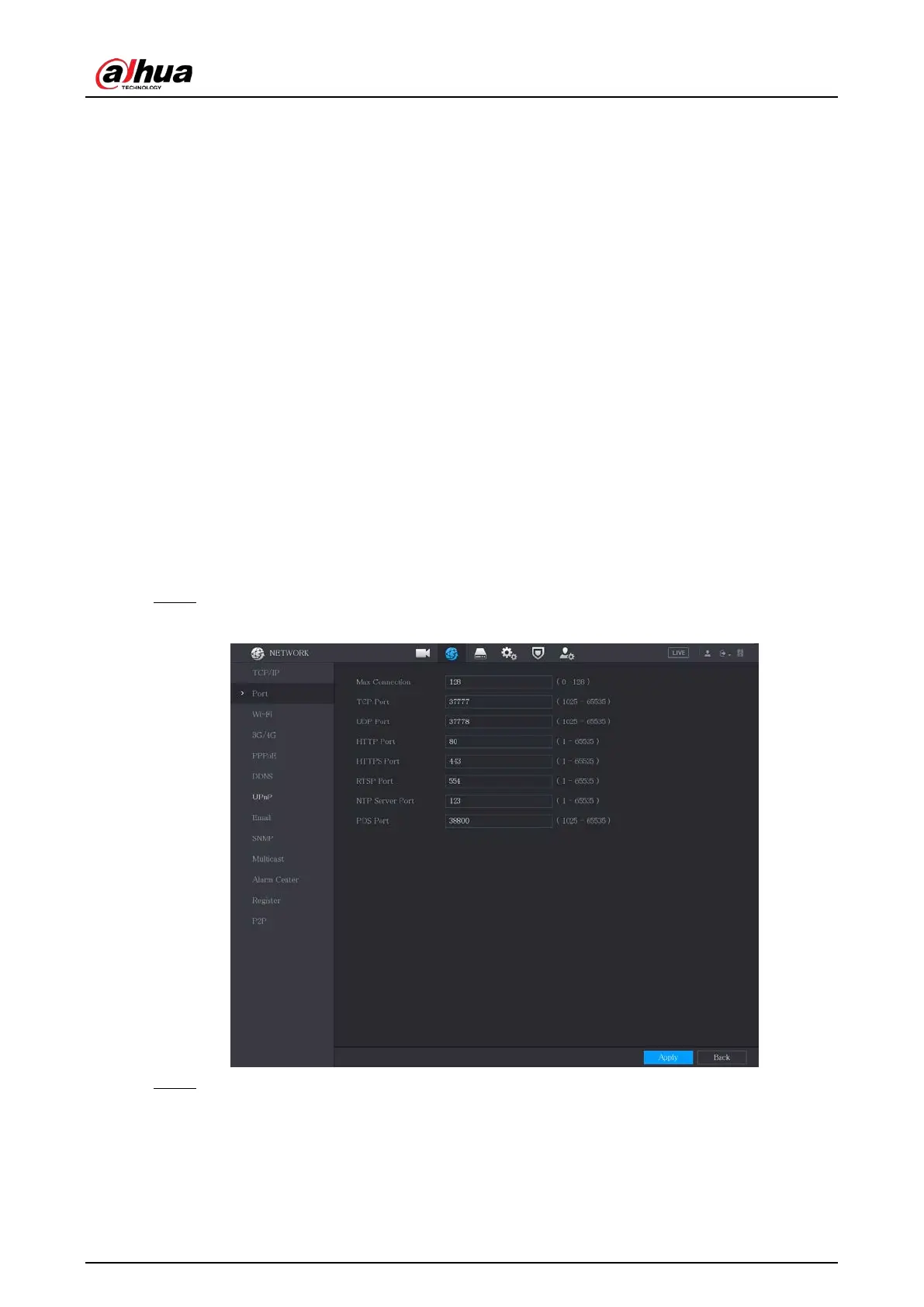
You can configure the maximum connection accessing the Device from Client such as web interface,
platform, and mobile client and configure each port settings.
Procedure
Step 1 Select
Main Menu
>
NETWORK
>
Port
.
Figure 5-216 Port
Step 2 Configure the settings for the connection parameters.



 To Next Page
 Loading...