User's Manual
154
●
In the time box on the top of the file list page, you can enter the specific time to search
the file that you want to view.
●
In the File List area, there are 128 files can be displayed.
●
File type:
R
indicates general recorded video;
A
indicates recorded video with external
alarms;
M
indicates recorded video with motion detection events;
I
indicates recorded
video with intelligent vents.
●
Click to return to the page with calendar and CAM NAME list.
Related Operations
●
To lock the recorded video, on the
File List
page, select the checkbox of the recorded video, and
then click . The locked video will not be covered.
●
To view the locked information, click .
The recorded video that is under writing or overwriting cannot be locked.
●
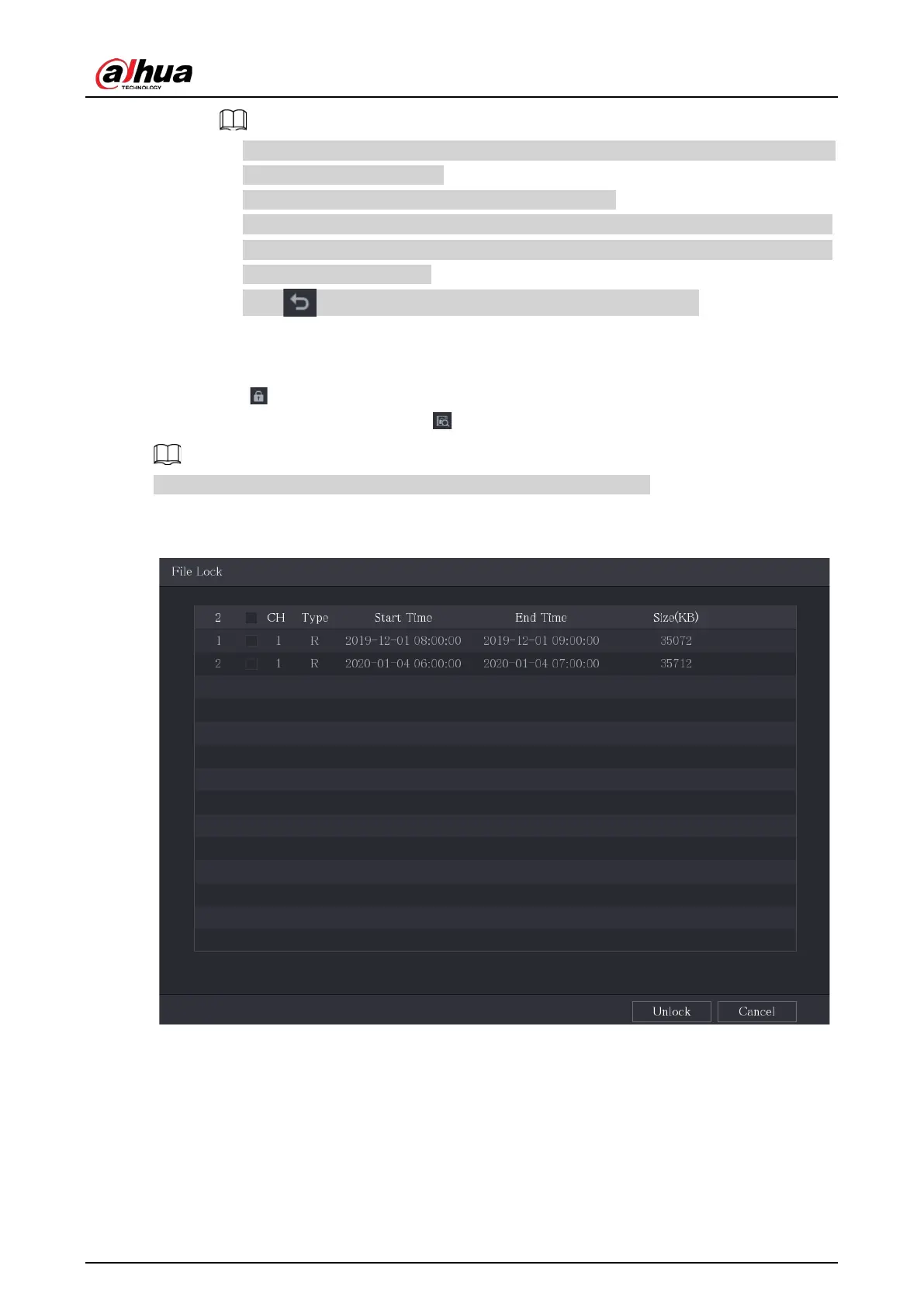
To unlock the recorded video, in the
File Lock
page, select the video, and then click
Unlock
.
Figure 5-110 File lock
5.10 Alarm Events Settings
5.10.1 Alarm Information
You can search, view and back up the alarm information.


 To Next Page
 Loading...