User's Manual
302
Table 5-72 802.1x parameters
Parameter Description
NIC Name Select a NIC.
Authentication
●
PEAP: protected EAP protocol.
●
TLS: Transport Layer Security. Provide privacy and data integrity
between two communications application programs.
CA Certificate
Enable it and click
Browse
to import CA certificate from flash drive.
For details about importing and creating a certificate, see "5.19.4 CA
Certificate".
Username The username shall be authorized at server.
Password Password of the corresponding username.
Step 4 Click
Apply
.
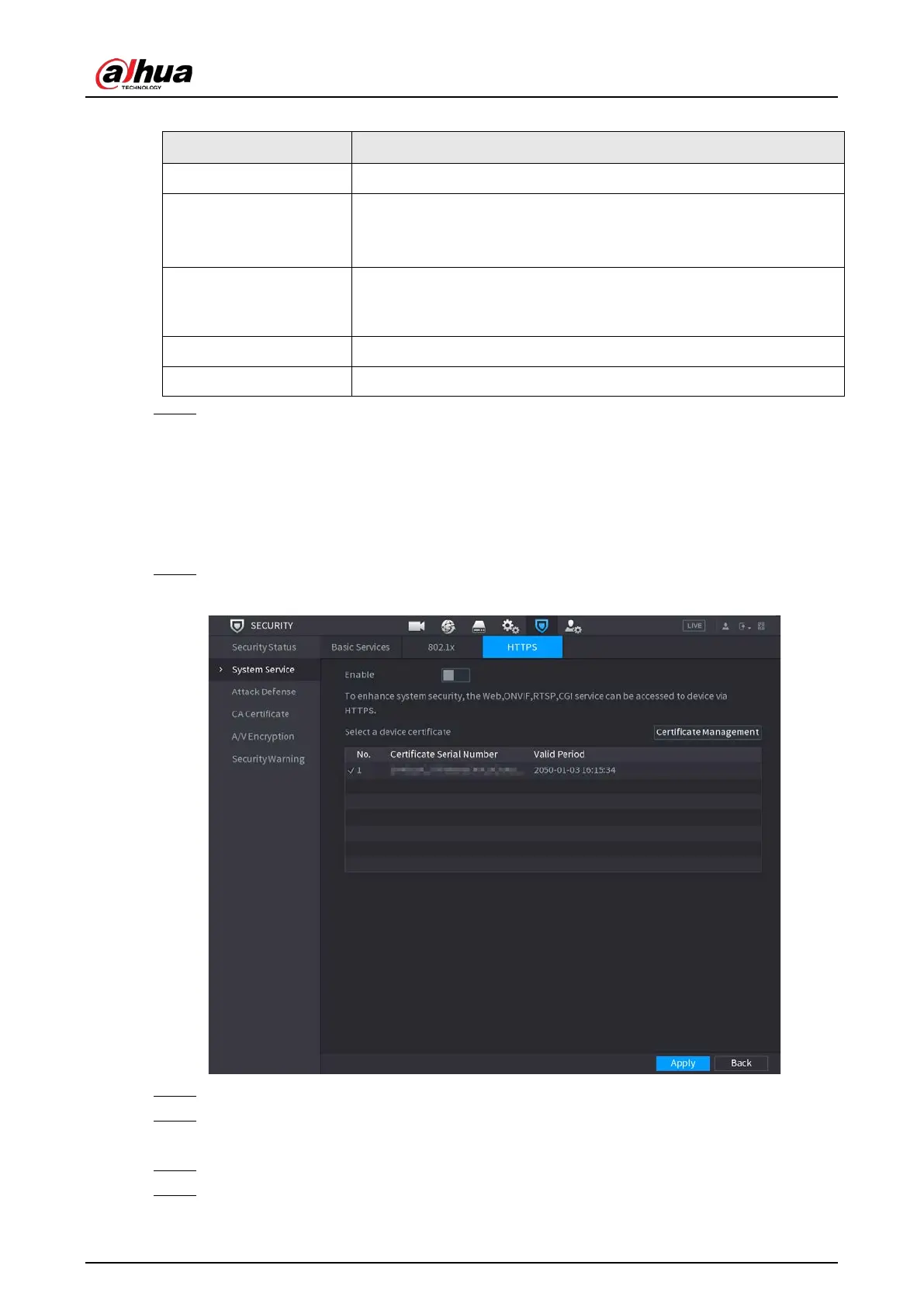
5.19.2.3 HTTPS
We recommend that you enable HTTPS function to enhance system security.
Procedure
Step 1 Select
Main Menu
>
SECURITY
>
System Service
>
HTTPS
.
Figure 5-279 HTTPS
Step 2 Select
Enable
to enable HTTPS function.
Step 3 Click
Certificate Management
to create or import a HTTPS certificate from USB drive. For
details about importing or creating a CA certificate, see "5.19.4 CA Certificate".
Step 4 Select a HTTPS certificate.
Step 5 Click
Apply


 To Next Page
 Loading...