User's Manual
7
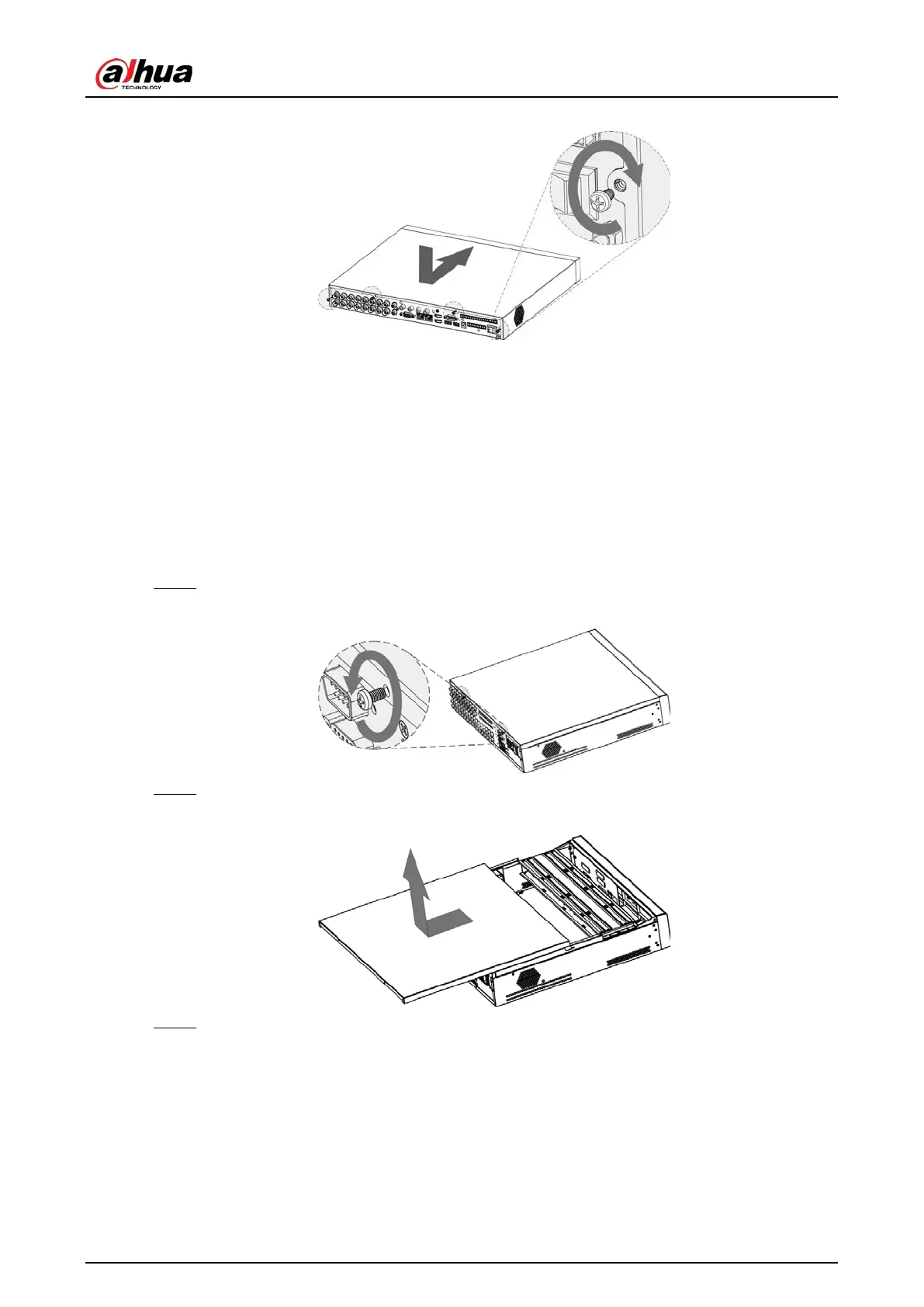
Figure 2-6 Put back cover
2.2.2 DH-XVR58xxS-I2/DH-XVR58xxS-4KL-I2/DH-XVR58xxS-4KL-I2-
LP/DH-XVR58xxS-I3/DH-XVR58xxS-4KL-I3/DH-XVR58xxS-4KL-I3-
LP/DH-XVR78xxS-4K-I2/DH-XVR78xxS-4K-I3/DH-XVR78xxS-4KL-X-
LP-V2/DH-XVR88xxS-4KL-I
Procedure
Step 1 Remove the screws from the chassis.
Figure 2-7 Remove screws
Step 2 Take off the cover of the chassis.
Figure 2-8 Take off cover
Step 3 Remove the screws from the drive bracket to take it off.


 To Next Page
 Loading...