User's Manual
10
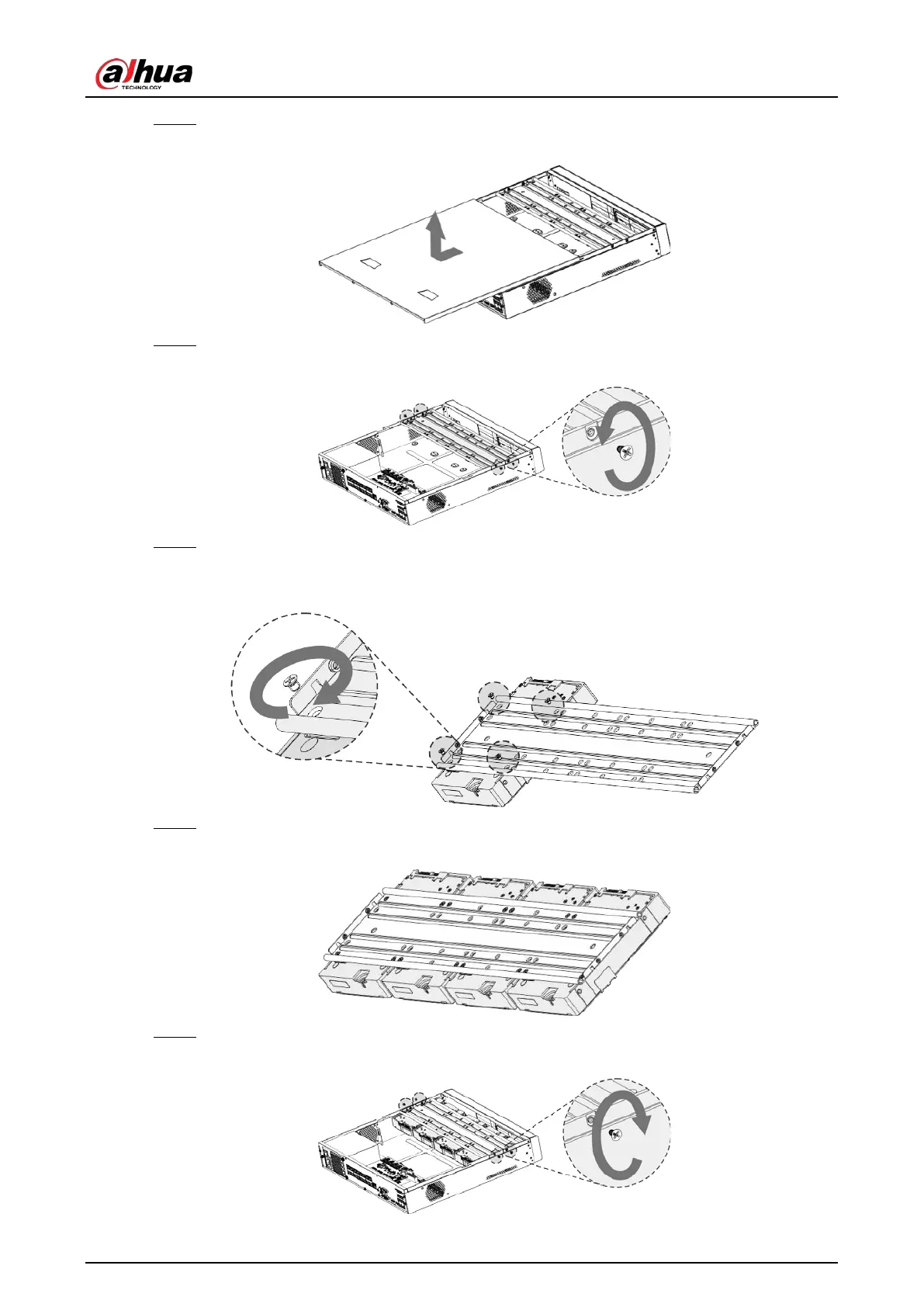
Step 2 Remove the cover along the direction shown in the following arrow.
Figure 2-17 Remove cover
Step 3 Remove the screws on the sides of HDD bracket to take out the bracket.
Figure 2-18 Remove bracket
Step 4 Match the four screw holes on the HDD with the four holes on the bracket and then fasten
the screws. The HDD is fixed to the bracket.
Figure 2-19 Fix HDD
Step 5 Install the other HDDs.
Figure 2-20 Install other HDDs
Step 6 Place the bracket to the device and then fasten the screws on the sides of the bracket.
Figure 2-21 Fasten screws


 To Next Page
 Loading...