User's Manual
290
space of each channel reasonably.
●
If the page displays that
Disk group mode selected
, click
Switch to Quota Mode
, and then
configure quota.
●
You can enable either HDD Group Mode or Quota Group. The system prompts to restart the
device each time when you switch the mode.
Procedure
Step 1 Select
Main Menu
>
STORAGE
>
Disk Quota
.
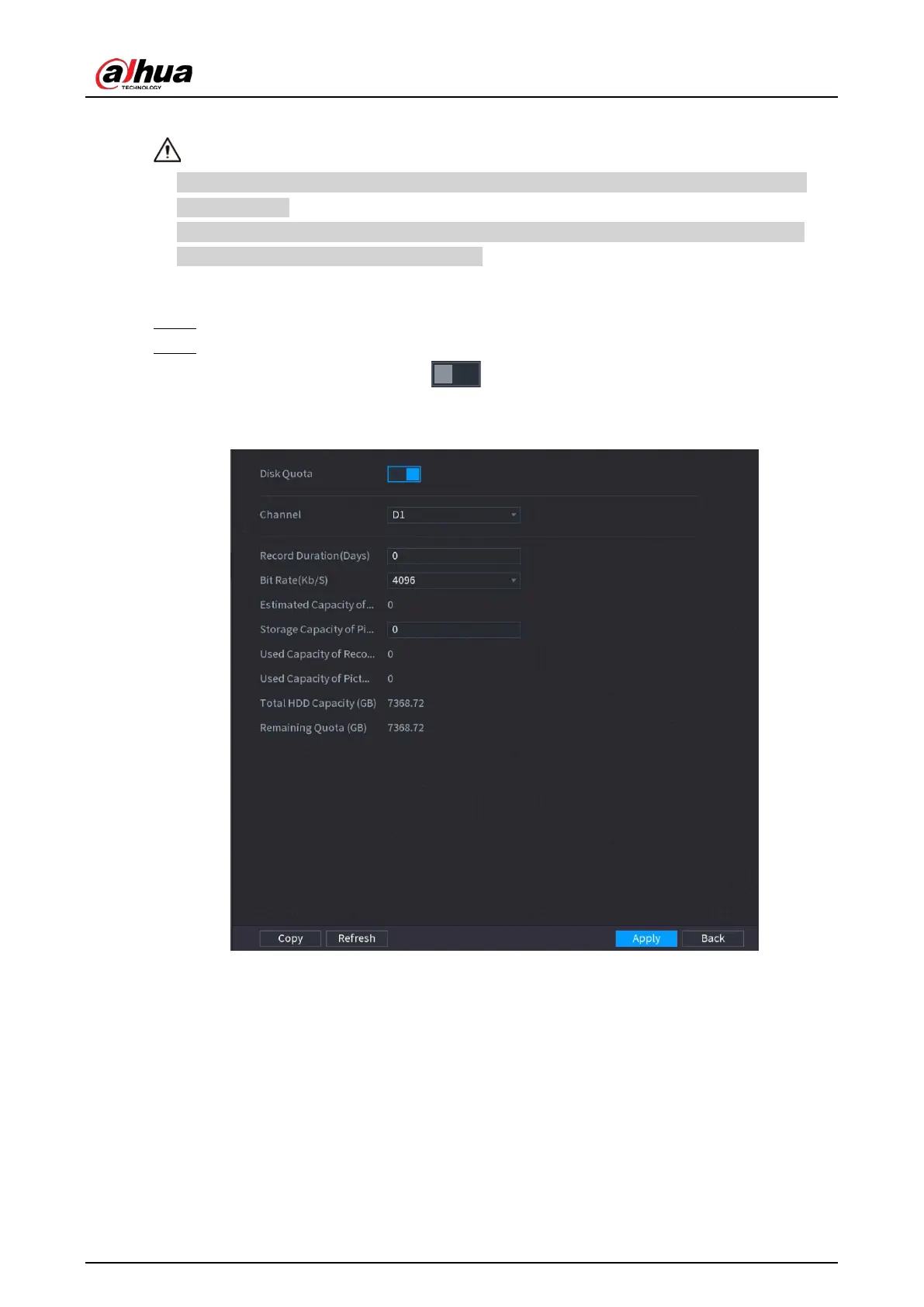
Step 2 Configure the disk quota.
●
For one-HDD devices, click , select a channel and then configure the
parameters including recording duration, bit rate, storage capacity of pictures.
Figure 5-262 Disk quota (one-HDD device)
●
For devices that support 2 or more HDDs, you can switch the quota mode between
version 1 and version 2.
◇
V1
: Select a channel and then configure the disk quota for each disk.
◇
V2
: Select a channel and then configure the parameters including recording
duration, bit rate, storage capacity of pictures.


 To Next Page
 Loading...