User’s Manual
139
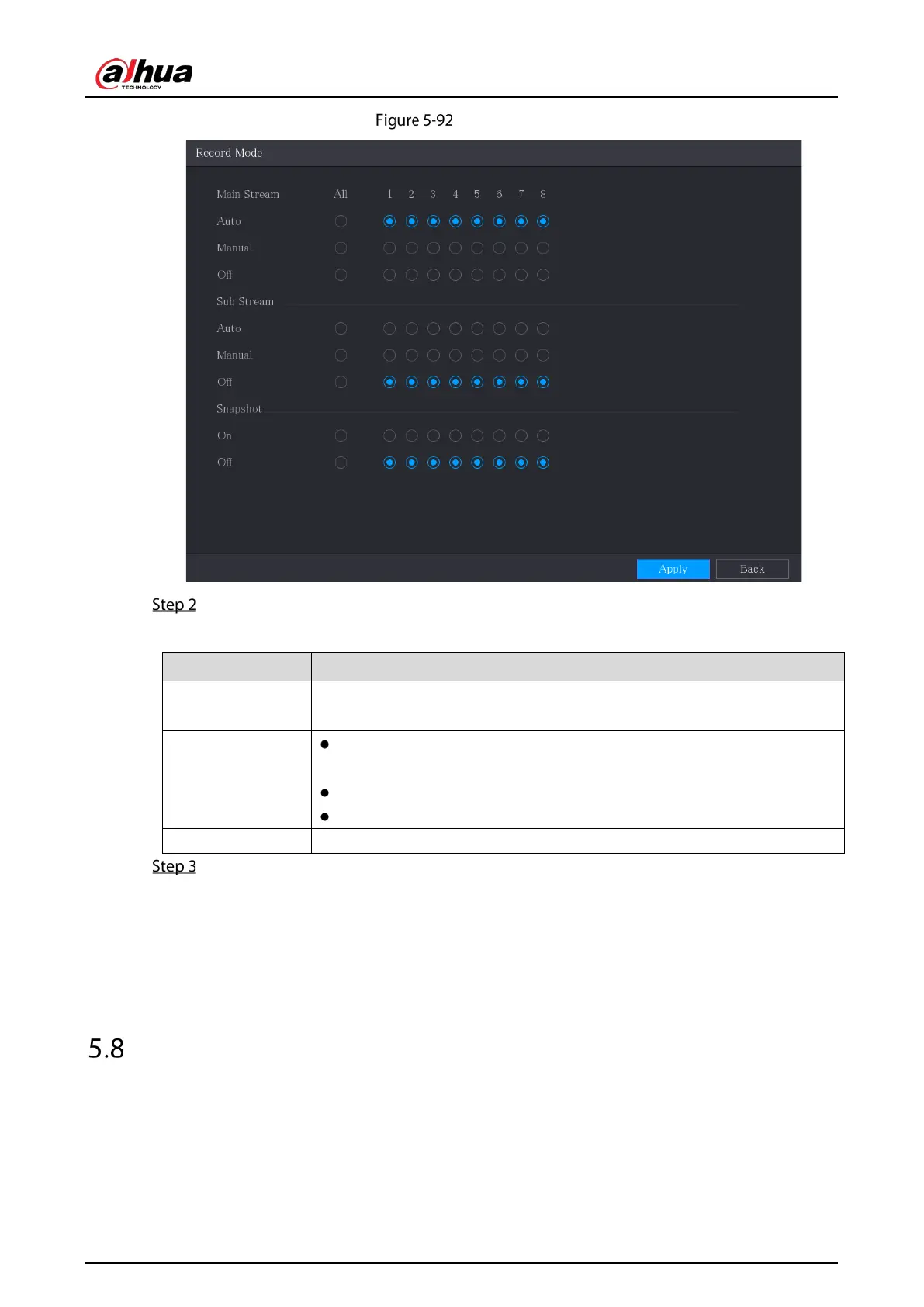
Record mode
Configure the settings for the record control parameters.
Table 5-32 Record control parameters
Channel
Displays all the analog channels and the connected digital channels. You can
select a single channel or select
.
Main Stream/Sub
Stream
: Automatically record according to the record type and recording
time as configured in the recording schedule.
: Keep general recording for 24 hours for the selected channel.
: Do not record.
Snapshot Enable or disable the scheduled snapshot for the corresponding channels.
Click Apply.
5.7.2 Configuring Recorded Video Storage Schedule
You need to configure the storage schedule for the recorded video so that the recorded video can be
saved. For details, see "5.1.4.9 Configuring Recorded Video Storage Schedule."
Configuring Snapshot Settings
5.8.1 Configuring Snapshot Trigger
The snapshot is divided into scheduled snapshot, event triggered snapshot, and face detection
triggered snapshot. When the both are enabled, the event triggered snapshot has the priority.



 To Next Page
 Loading...