11
2
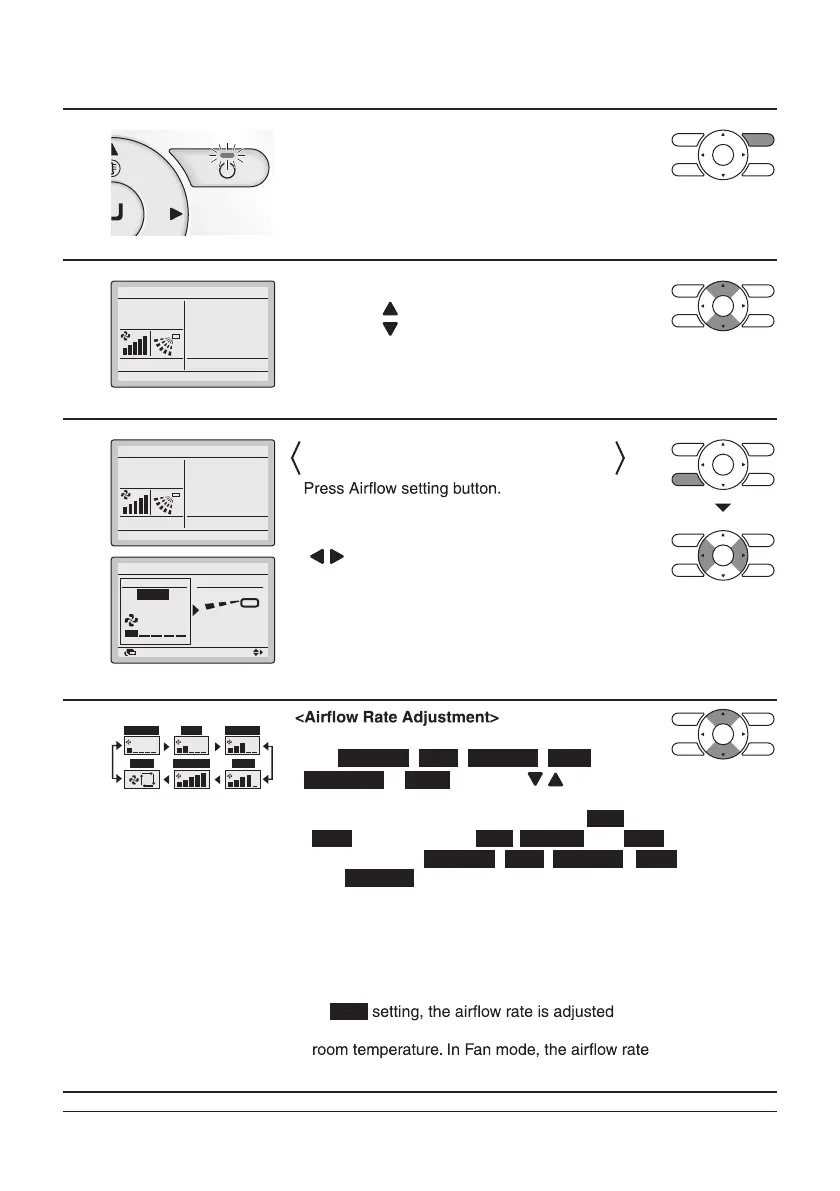
• Press ON/OFF button.
The Operation lamp (green) will be lit and the
system will start operating.
3
Cool
• The set temperature will increase by
1°C when “
” button is pressed and decrease by
1°C when “
” button is pressed.
* No temperature settings are possible while operating in Fan mode.
4
Cool
Return Setting
Position 0
Lv.1 (L)
Airflow level/direction
level Direction
•
• To select Air volume or Direction setting, press
“
” buttons.
5
from , , , ,
Lv.1 (L)
Lv.1 (L)
Lv.3 (M) Lv.4
Lv.5 (H)
Lv.5 (H)
Auto
Lv.2
Lv.3 (M) Lv.4
or five levels of , , , ,
and
Lv.2
using the or
“
” buttons.
* Depending on the type of indoor unit, the
adjustment levels may be two levels of
Lv.2
and
Lv.4
or three levels of
Lv.2
,
Lv.3 (M)
, and
Lv.4
.
* In
Auto
automatically according to set temperature and
setting is always at Lv.5 (H).
Lv.1 (L) Lv.2
A
Lv.3 (M)
Auto Lv.5 (H) Lv.4
*
It may take time until a change of the airflow rate is completed.
* For equipment protection purposes, the indoor
unit may control airflow rate automatically.
* According to the room temperature, the indoor
unit may control airflow rate automatically.
The fan may stop operating, which, however, is not a failure.
Set to
28°C
Set to
28°C
Airflow Rate (Airflow level/Fan Speed) or
Airflow Direction Setting
•
With level selected, set the desired airflow rate



 To Next Page