42
1
Return
Energy Saving Options
Off Timer
Auto Display Off
Energy Consumption
Setting
2/2
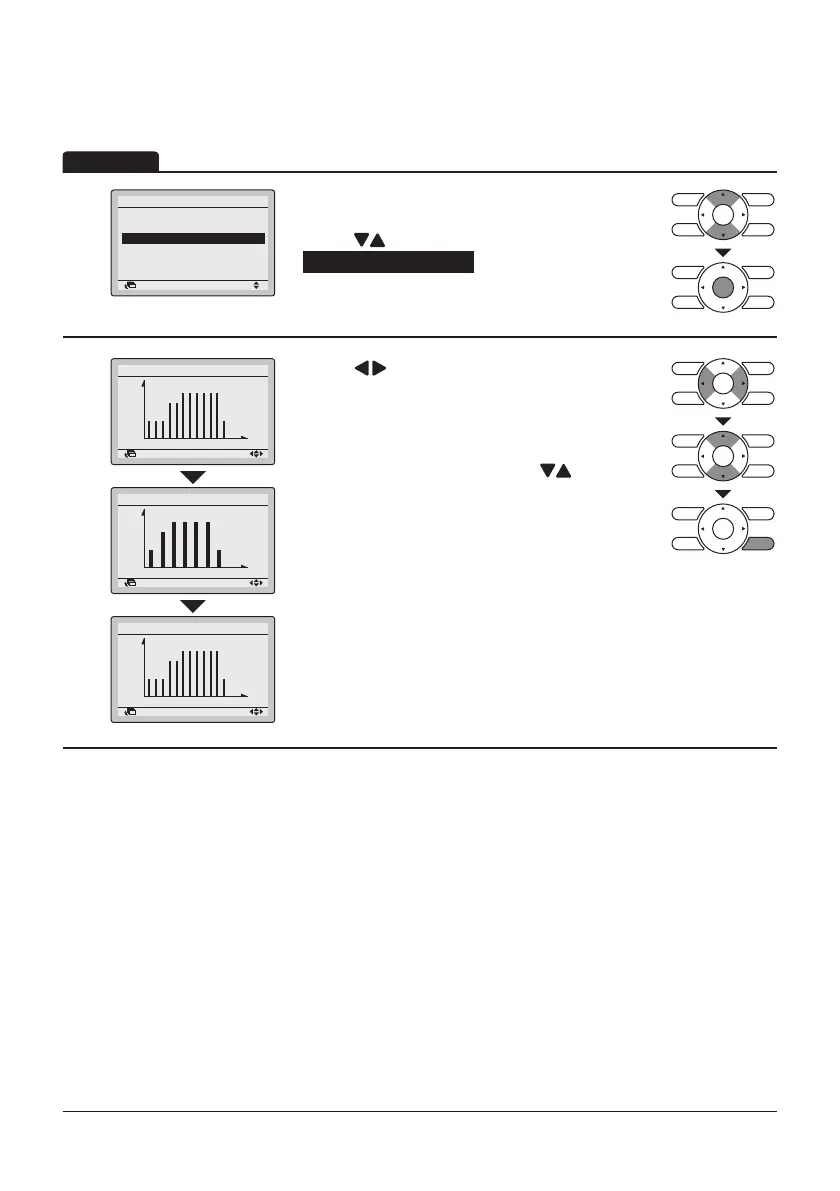
• Display the Energy Saving Options screen (Refer
to page34).
• Press “
” buttons to select
Energy Consumption .
Press Menu/Enter button to display the Energy
Consumption screen.
2
Return
Energy Consumption
Today
0 6 12 18 24
1
kWh
Total
10.5 kWh
Return
Energy Consumption
This week
S M T W T F S
10
kWh
Total
60.2 kWh
Return
Energy Consumption
This year
0 3 6 9 12
1
kWh
Total
150 kWh
• Press “ ” buttons to move the indicating
screen.
Today > Yesterday > This week (1week) > Last
week (1week) > This year (1year) > Last year
Change the items and values located in the upper
right of the indication area using “ ” buttons.
Press Cancel button to return to the previous
screen.
Operation
This item may not be available depend on the connecting model.
Energy Consumption



 To Next Page