60
Clock & Calendar
1
Return Setting
Main Menu
Clock & Calendar
Language
2/2
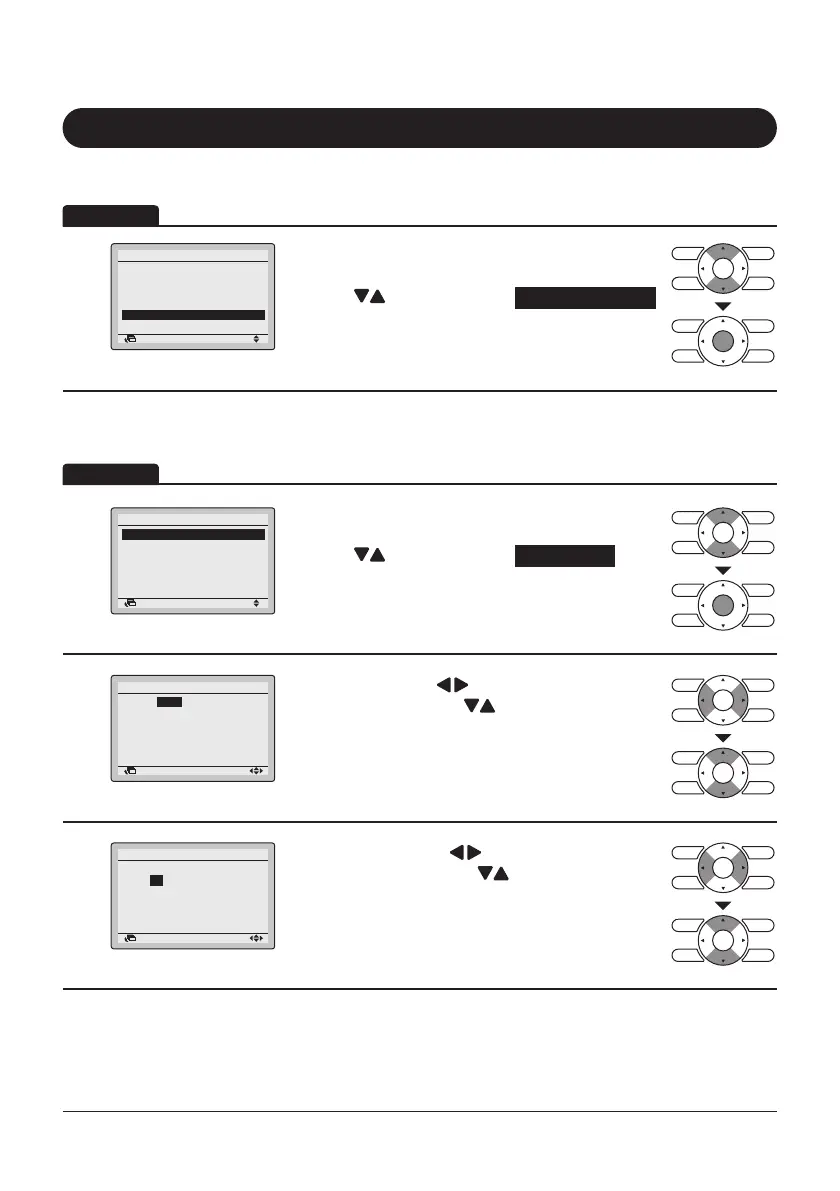
• Display the Main Menu screen. (Refer to
page25.)
• Press “
” buttons to select Clock & Calendar .
Press Menu/Enter button to display the Clock &
Calendar screen.
1
Clock & Calendar
Date & Time
12H/24H Clock
Daylight Saving Time
Return Setting
• Display the Clock & Calendar screen. (Refer to
above.)
• Press “
” buttons to select Date & Time .
Press Menu/Enter button to display the Date &
Time screen.
2
• Select “Year” with “ ” buttons.
Change the year with “
” buttons.
Holding down the button causes the number to
change continuously.
3
Date & Time
Year 2017
Month 04
Day 01
Monday
0:00
Return Setting
• Select “Month” with “ ” buttons.
Change the month with “
” buttons.
Holding down the button causes the number to
change continuously.
Operation
Operation
Display Method for Clock & Calendar Screen
Date & time
Filter Auto Clean
Maintenance Information
Configuration
Current Settings
Return Setting
Year
Month
Day
Sunday
Date & Time
0:00
2017
01
01



 To Next Page