5
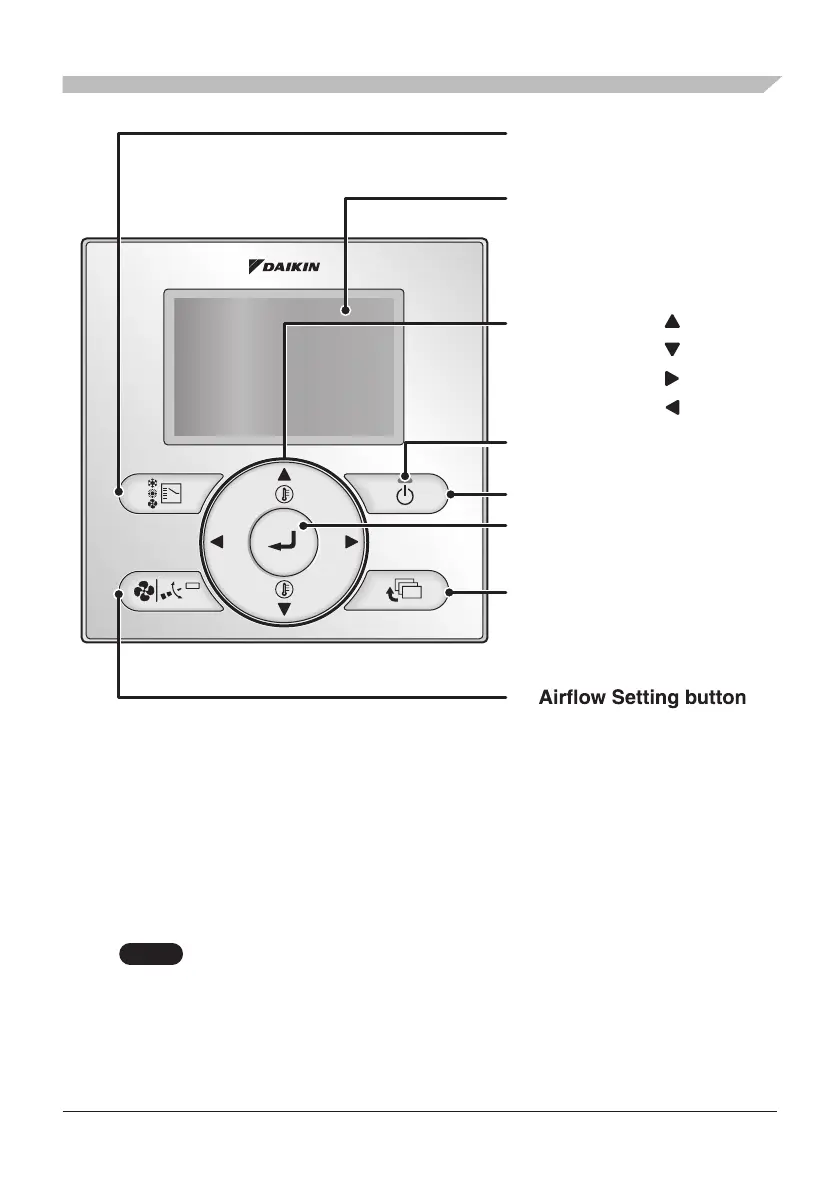
Button Location and Descriptions
2.
3. Menu/Enter button
8. ON/OFF button
10. Cancel button
9. Operation lamp
(Green)
11. LCD (with backlight)
4. Up button
5. Down button
6. Right button
7. Left button
1. Mode Selector button
NOTE
• Do not press the buttons on the remote controller with a hard, pointed objects.
Otherwise, the remote controller may be damaged or malfunction.
Basic operations (i.c., ON/OFF, Operation Mode, Airflow Rate
(Airflow level/Fan Speed), Airflow Direction and Set Temperature)
are manipulable directly by the above button.
Advanced settings are manipulable from the Menu screen displayed
by the Menu/Enter button.



 To Next Page