Dakewe (Shenzhen) Medical Equipment Co., Ltd
6.1.1 Dehydration Program
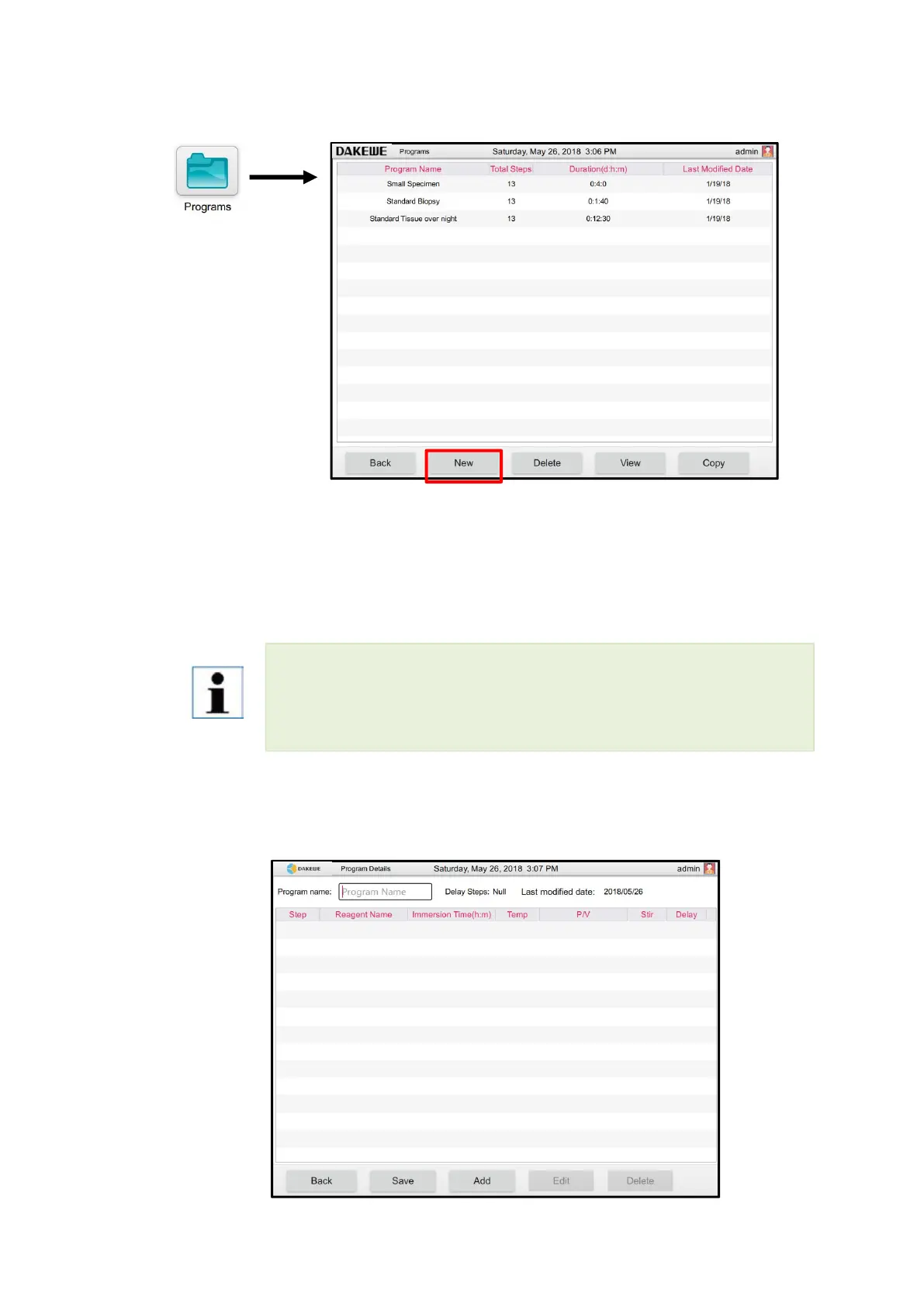
Click “Dehydration Program” button to enter the user program interface. It is able t
o perform the operations such as program creation / viewing / deletion / copying in
this interface (Figure 34).
6.1.1.1 Create the program
Click “Create” button (Figure 34-1). The system will automatically create an unnamed
blank program form (Figure 35).
Only administrator user and manufacturer user can create / view / edit / delete / copy the
program.During operation, it is necessary to ensure that the machine has no running
programs



 To Next Page