Dakewe (Shenzhen) Medical Equipment Co., Ltd
6.1.5 Reagent Management
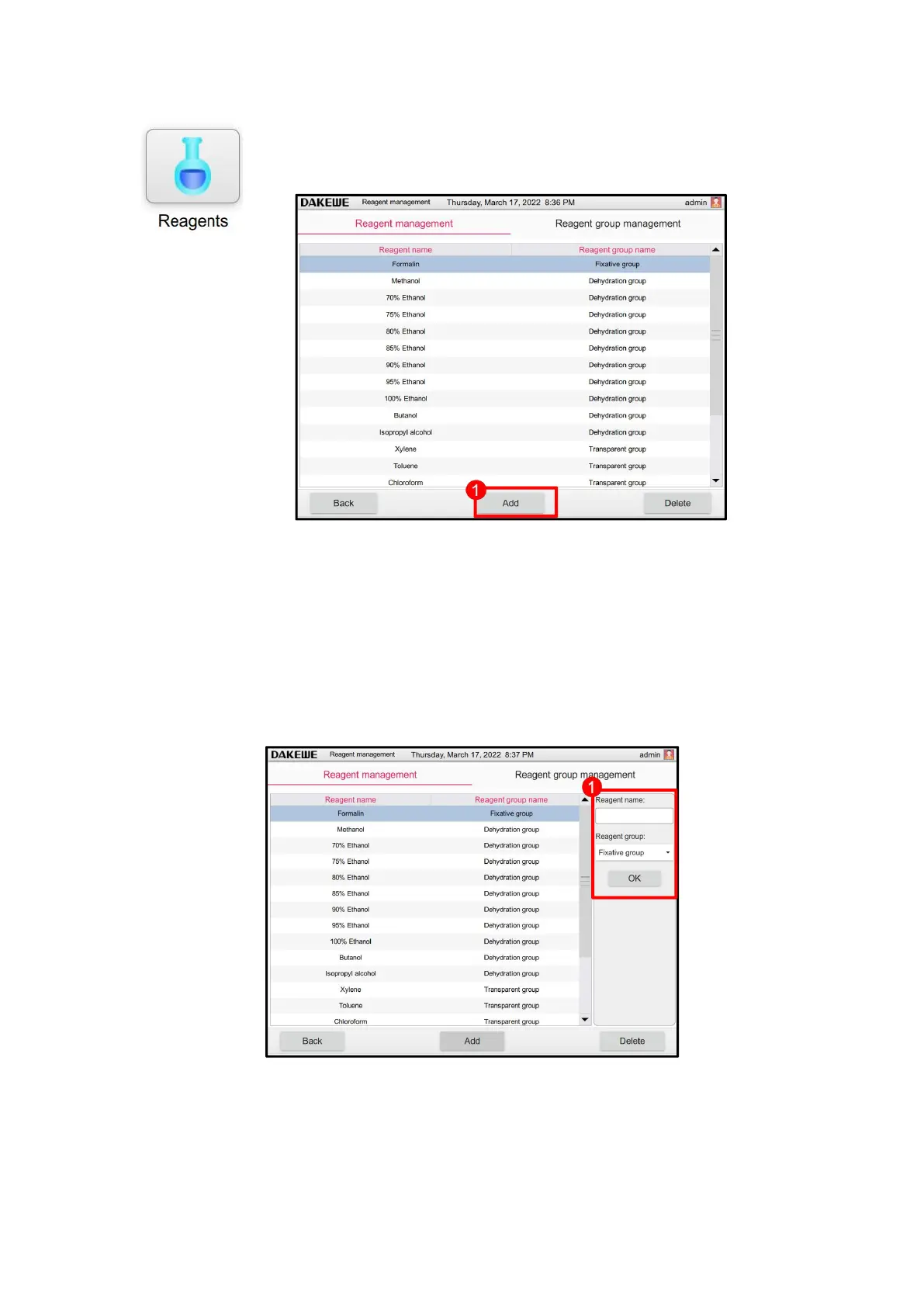
Click the “Reagent Management” icon to enter the reagent management
interface. It is allowed to add and delete the reagents in this interface.
6.1.5.1 Add reagent
Click the “Add Reagent” button (Figure 48-1). The new reagent setting (Figure 49-1)
will display on the right. Touch the reagent name to pop up the soft keyboard input box.
Enter the corresponding reagent name. Then, select the appropriate reagent group name
in the drop-down list of the reagent group. Click Save when it is done.



 To Next Page